# ClickUp integration
Source: https://pinprompt.veren-technology.com/docs/reference/clickup
Connects a pinprompt project to one **ClickUp list**, so items become ClickUp tasks there, and status and comments sync both ways. It works with any ClickUp workspace. Like every integration it follows the activity log: turning it off changes nothing else, and nothing in ClickUp ever closes an item (people sign off in pinprompt).
**Status: Experimental**, in the next release (after 0.4.5). Tested end to end against a stand-in ClickUp API; not yet connected to a real ClickUp workspace. Try it on a test project first.
## What you need
A **personal API token** (it starts with `pk_`) from someone who can see the list: **ClickUp → Settings → Apps → API Token** ([ClickUp apps](https://app.clickup.com/settings/apps)). pinprompt acts in ClickUp as that person: tasks and comments from pinprompt show their name. Regenerating the token in ClickUp disconnects pinprompt; connect again with the new one.
No server setup is needed, but ClickUp must be able to reach your pinprompt server for changes to come back.
## Per project
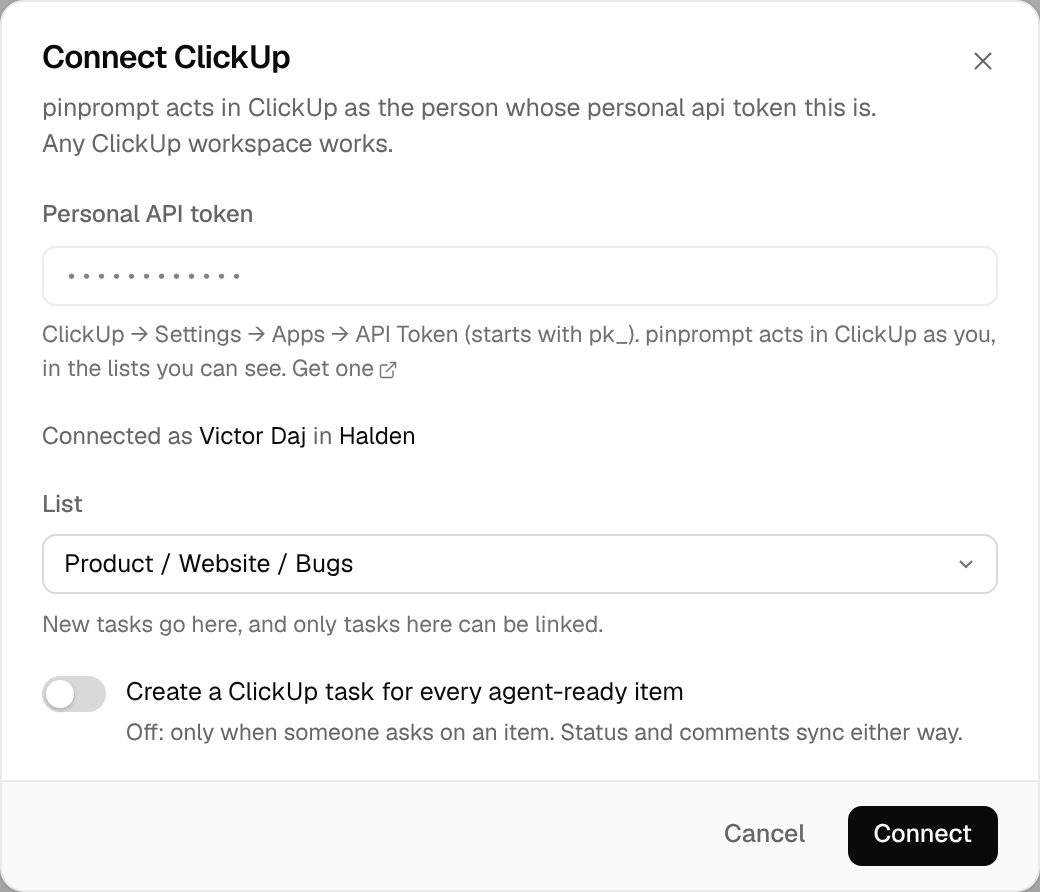
Owner or developer: **Settings → Integrations → Connect ClickUp**. Paste the token, then pick the list (named *Space / Folder / List*). Optionally switch on *Create a ClickUp task for every agent-ready item*; otherwise tasks are made only when someone asks on an item. **Change** takes a new token or another list; the item links stay.
The card shows **one way only** when the webhook couldn't be made, with ClickUp's reason and **Try again**.
## Statuses
pinprompt reads the list's statuses when connecting. ClickUp marks each one *open* (to do), *custom* (started), or *done* / *closed* (done). When an agent takes an item, the task moves to *in progress* (or the first custom status); when it is signed off, to the done or closed status.
## What syncs
| pinprompt | ClickUp |
|---|---|
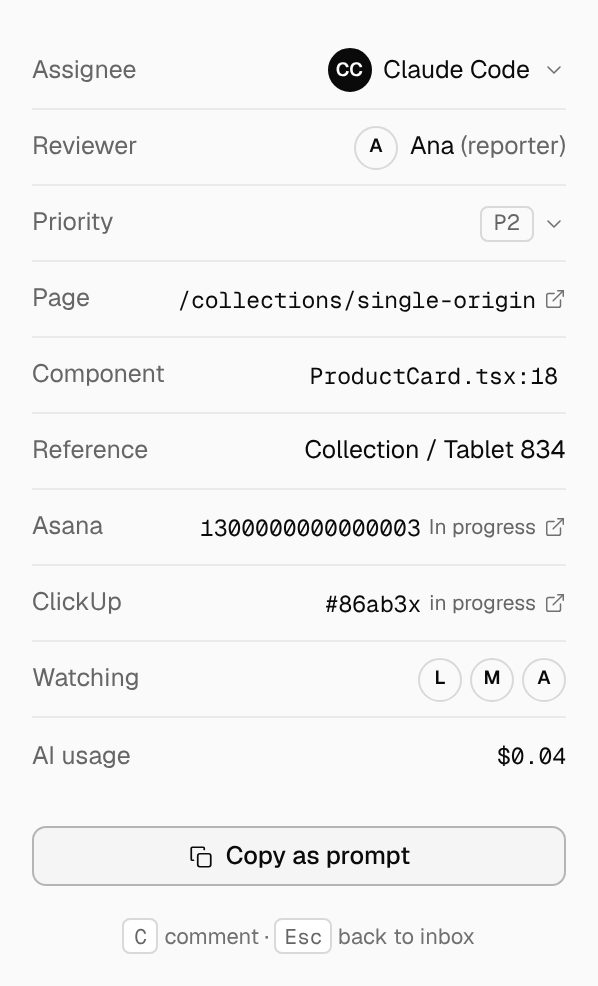
| **Create ClickUp task** on an item (or, with the switch on, every agent-ready item) | A task in the list, `[FB-12] Title`, with the spec as its description (markdown) and a link back to the item. Screenshots stay in pinprompt (the link opens them) |
| **Link** with the task's link, `#id` or custom id (`DEV-12`) | Checked in ClickUp (it must be in the connected list), then linked. One item per task |
| Spec revised | Name and description updated |
| An agent takes it (With agent) | A *started* status, only from an open one |
| Done / Won't fix / Merged | A comment, then a done status |
| A person's or agent's comment | A comment "**Mia** commented on FB-12 in pinprompt:" |
| ClickUp | pinprompt |
|---|---|
| Status change | The link shows the status, and a line "#86ab… moved to review in ClickUp by Ana" |
| Comment | On the item as "Ana (ClickUp)", unless pinprompt posted it |
| Task deleted | The link is marked deleted; **Create ClickUp task** makes a new one |
The same privacy rules as the other trackers: on an item a client reads, internal notes never go, and a client's own comments go only with **Client comments** on. A comment that came in from another tracker is never sent on to ClickUp.
**Agents** need nothing new: they work items over MCP as before, and the item's links include the ClickUp task.
## Security
- The token is stored encrypted with `PINPROMPT_SECRET_KEY` and never shown again.
- ClickUp calls `/api/hooks/tracker/clickup/`. ClickUp gives pinprompt the webhook's secret when it is made, and signs each call with it (`X-Signature`, HMAC-SHA256 of the body); anything else gets 401. Calls from another webhook and repeats are ignored, and only items of the connected project are touched.
- `PINPROMPT_CLICKUP_API` points pinprompt at another ClickUp API base (tests and local runs use a stand-in). Leave it unset in production.
## Disconnecting
**Disconnect** forgets the token. Tasks stay in ClickUp and items keep their links. Remove pinprompt's webhook in ClickUp (*Settings → Webhooks*, or it stops after repeated 401s).
## Not built yet
- Signing in with ClickUp (OAuth) instead of a personal token.
- Screenshots uploaded to the task (ClickUp attaches files only to an existing task).
- Assignees, priority, tags and custom fields on the task.