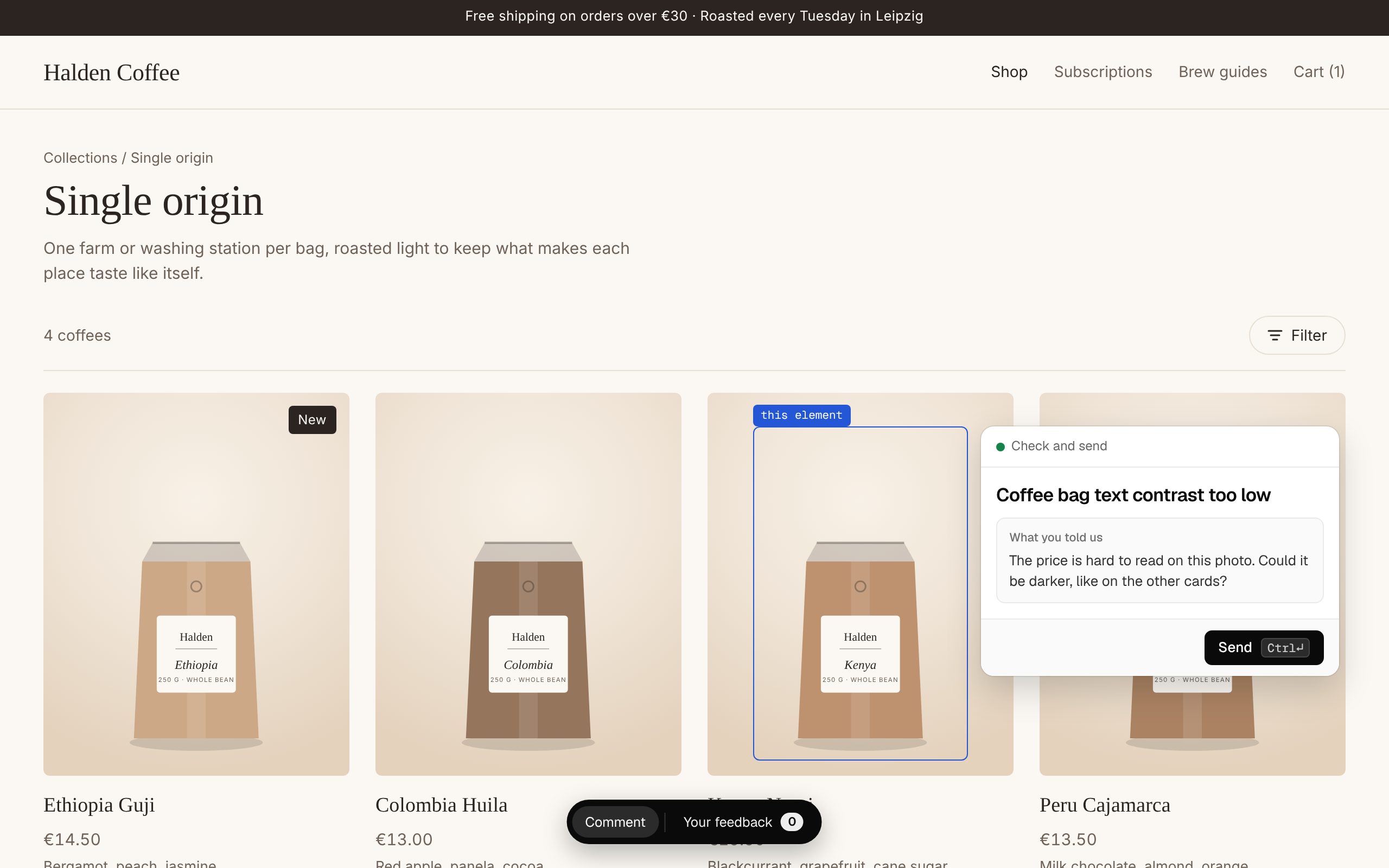
With the Chrome extension
Chrome or Edge on a computer
Add the feedback bar to Chrome once. On the site, press Comment, click what looks wrong, write, send.
Step-by-step guideA guide for clients
The team building your site collects your feedback with pinprompt. Click what looks wrong, say it in your own words, and check the fix when it's ready. No long emails, no screenshots to paste. It takes about two minutes to start.
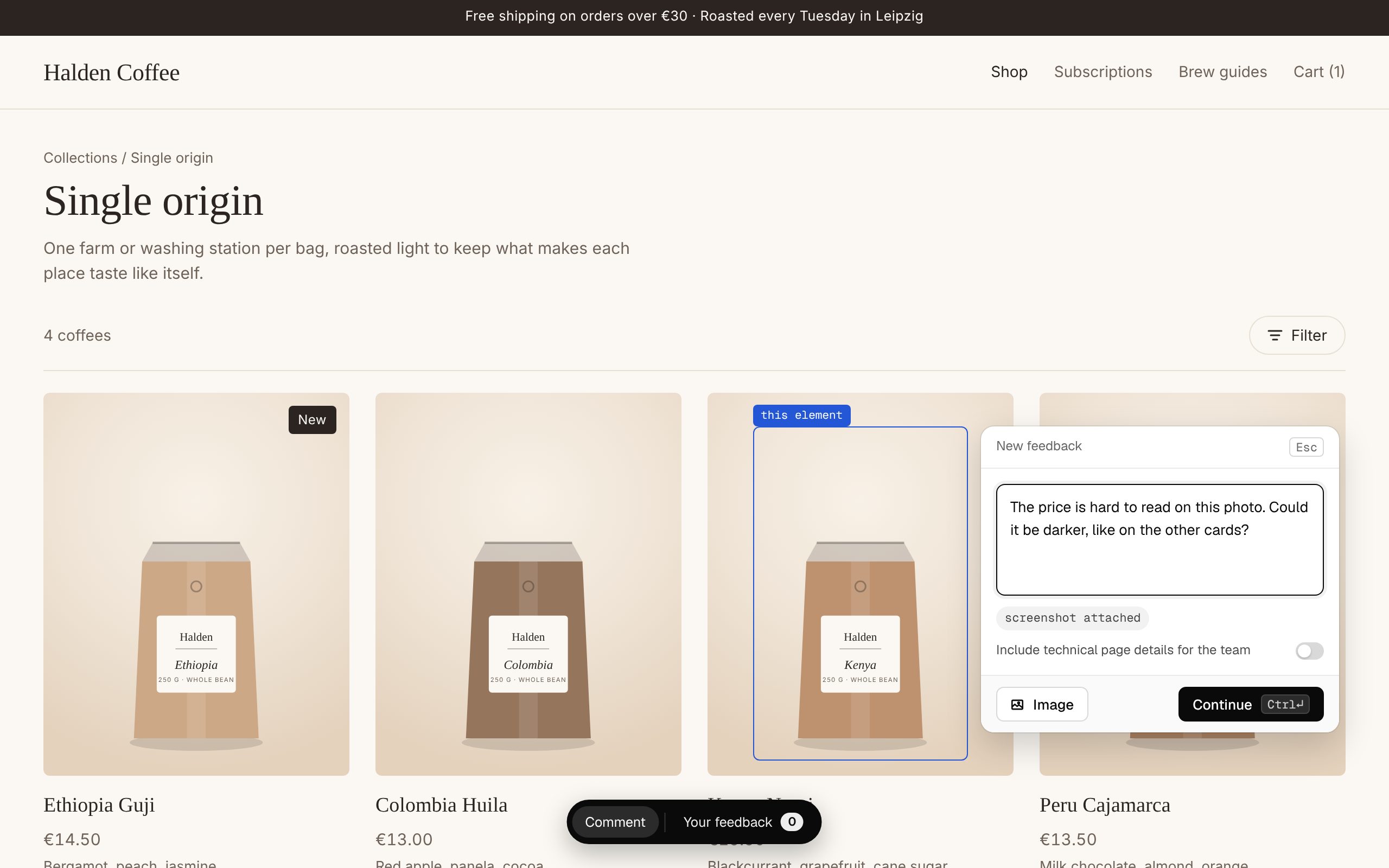
Watch
Set up once, then give feedback whenever you like. Captions are on screen, so no sound is needed.
Get started
You don't need to know how websites are built, and there's no password to make up.
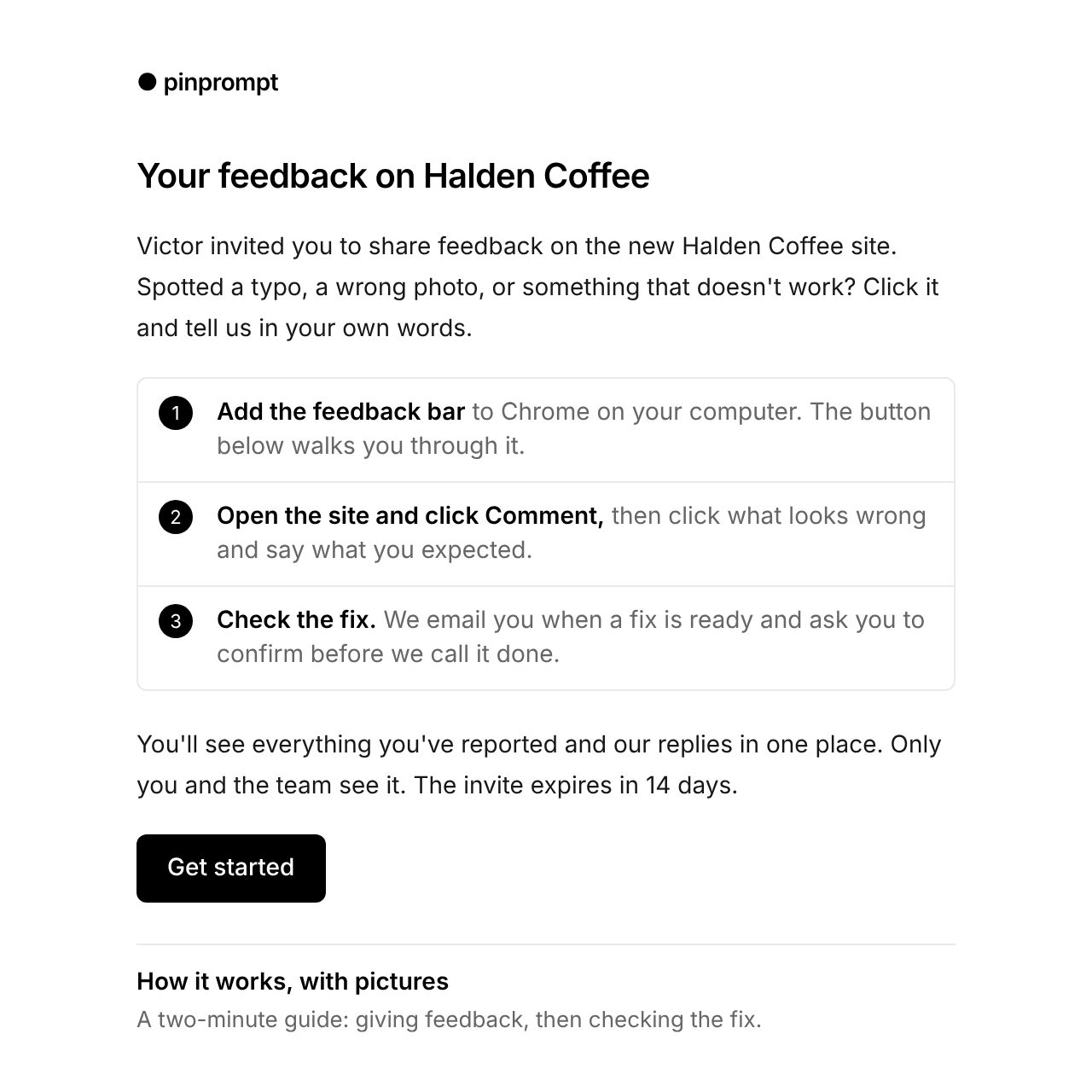
It's called "… would like your feedback on …". Press Get started.
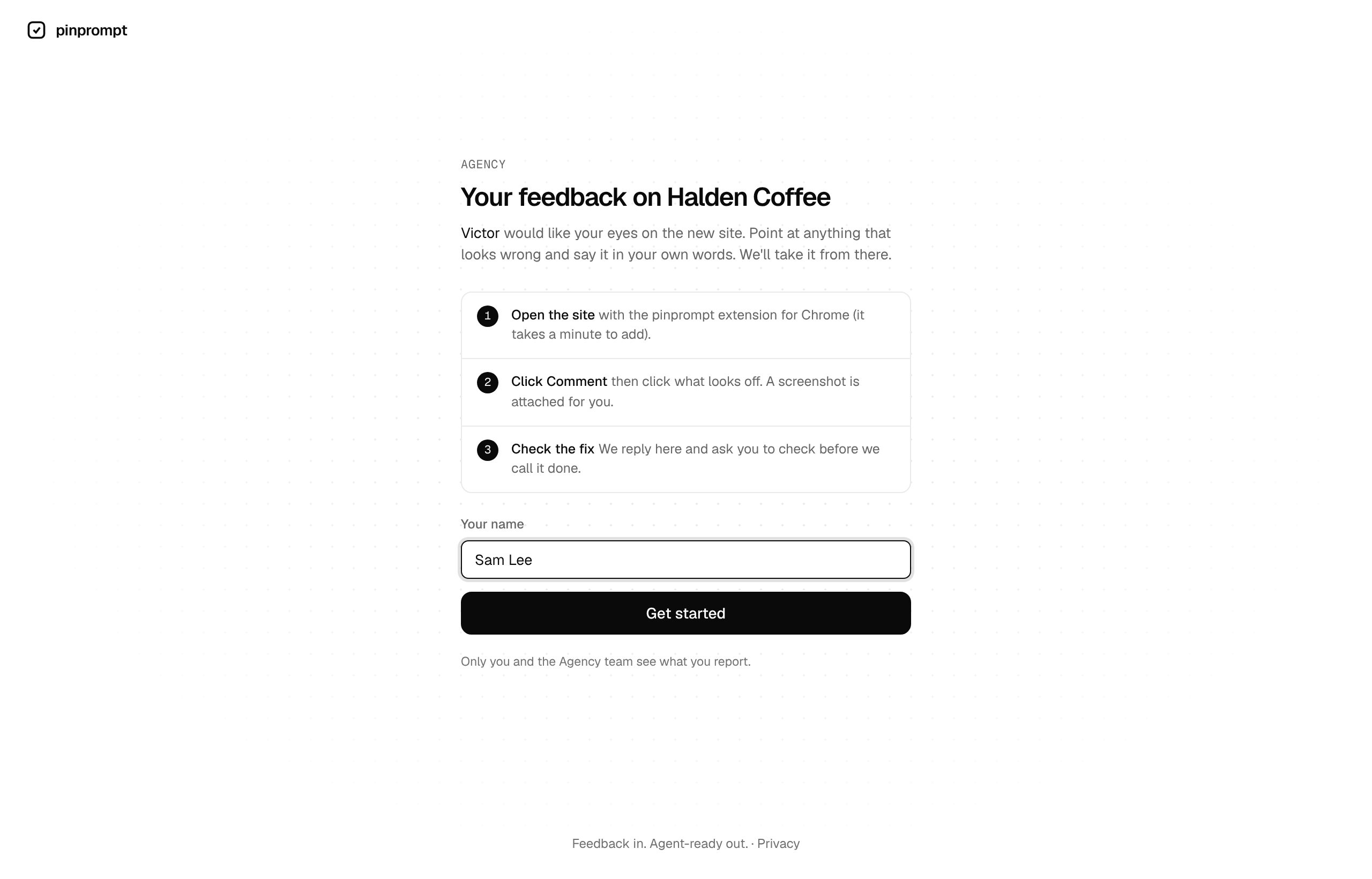
That's all the invite page asks. Next time, sign in with your email and we send you a link.
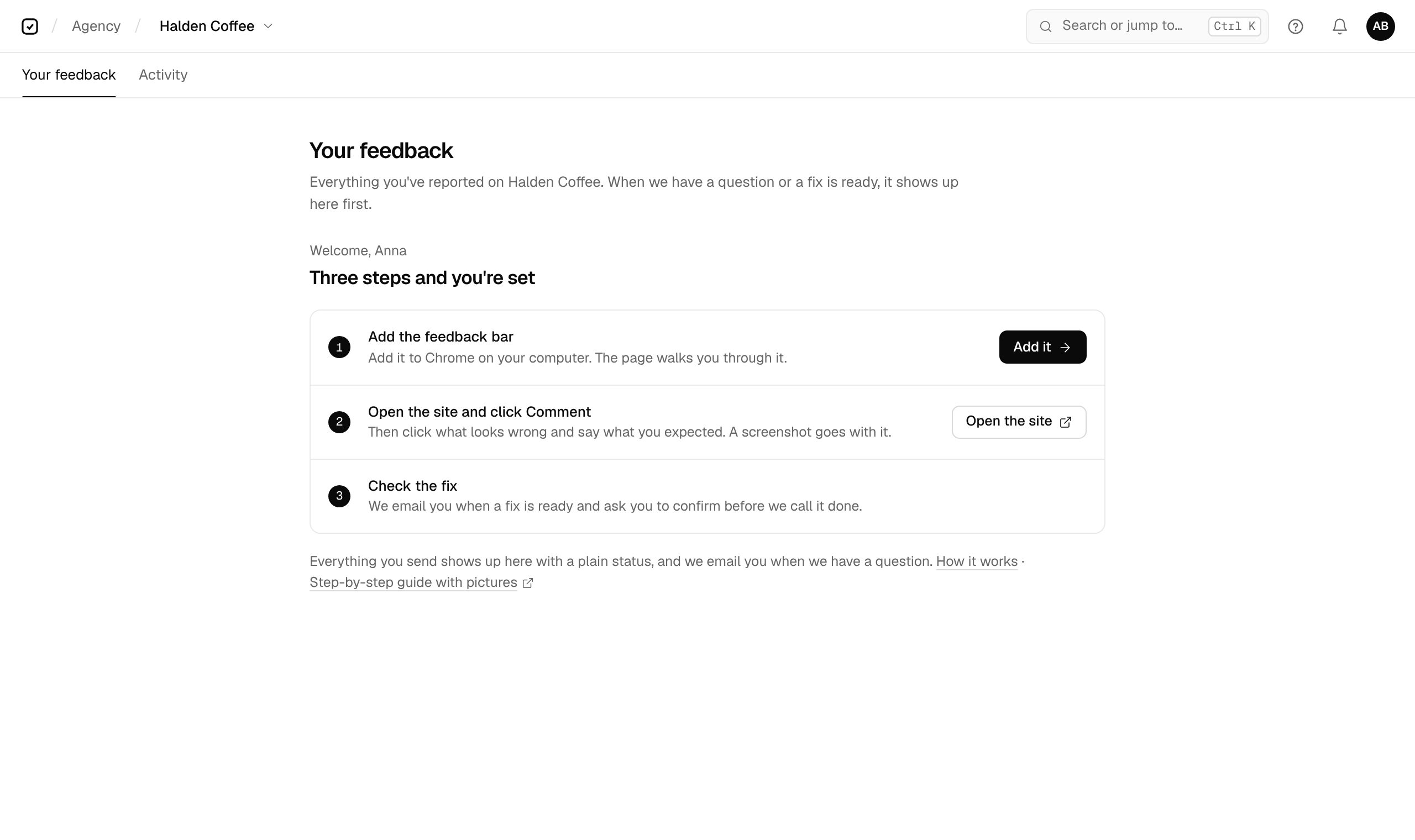
Each step has the one button you need. Everything you send shows up here later.
Giving feedback
The team picks the way that suits your site. Your welcome page shows which one is yours.
Chrome or Edge on a computer
Add the feedback bar to Chrome once. On the site, press Comment, click what looks wrong, write, send.
Step-by-step guide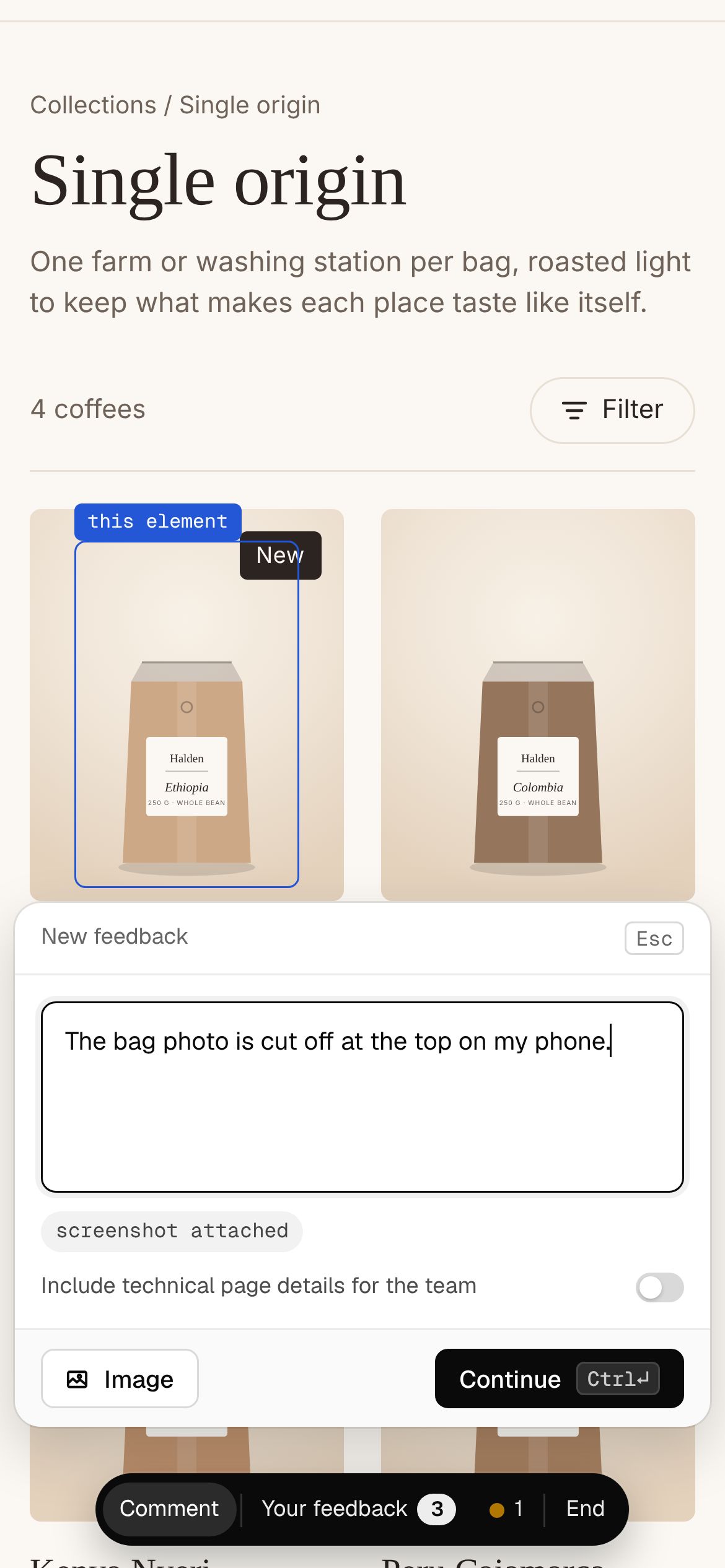
Any browser, also on a phone
Nothing to install. Press Open the site in pinprompt and the feedback bar is there, only for you.
Step-by-step guide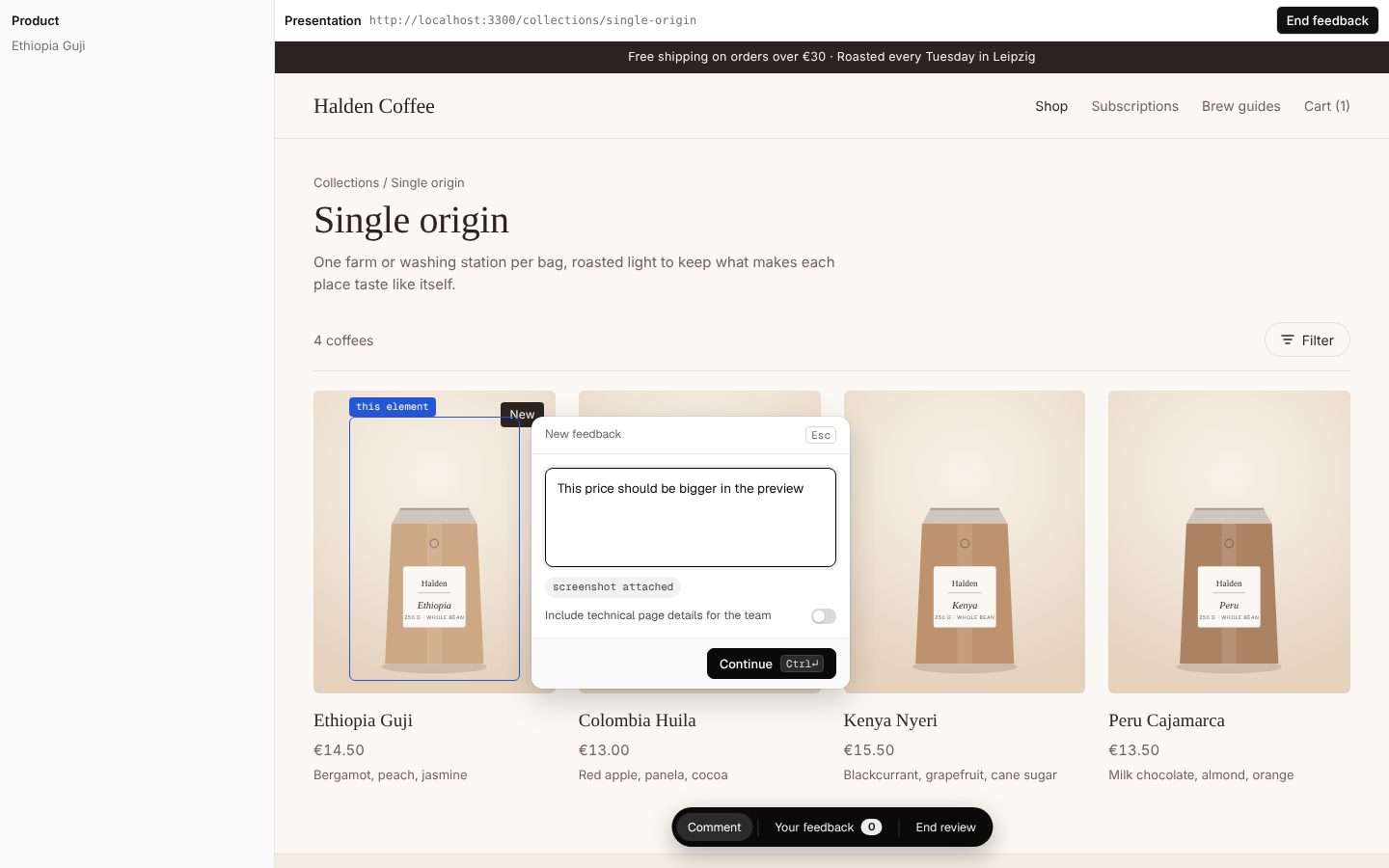
If you edit content in Sanity
Press Give feedback above the preview and point at what looks wrong, right where you edit.
Step-by-step guideChecking a fix
We email you when we have a question or a fix is ready. Look at it on the site, then choose Yes, it's right or Not yet. Nothing is done until you say so.
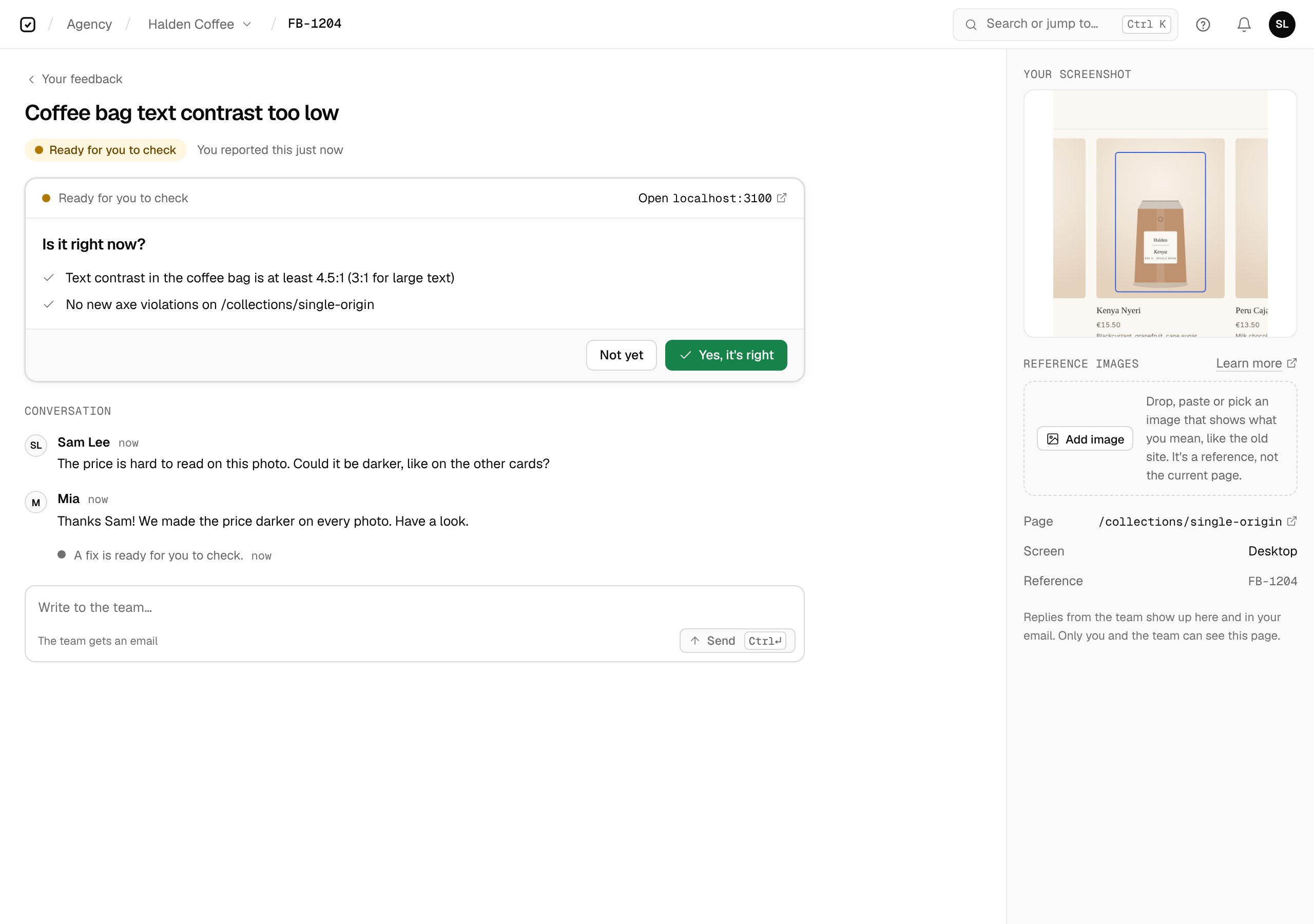
Good to know
Questions? Reply to any email from the team, or write in the conversation on one of your reports.