For teams
Deleting feedback Beta
Delete feedback that was a test, a duplicate or a mistake, from the inbox, the item page or the pin on the site. Who may delete what, and what goes with it.
Beta: built and tested end to end, with little real use so far. See What works today.
Feedback that was a test, a mistake or a stray click can be deleted. Deleting is for things that should never have been filed. Feedback that was real but won't be done is better moved to Won't fix, and a repeat of something already reported is better merged into it (Inbox and triage), so its reporter keeps getting updates.
Who can delete
| Who | What they can delete |
|---|---|
| Owners, developers and PMs | Any item in the project, in pinprompt (the inbox or the item page) |
| Anyone who reported it (designers, QA and clients too) | Their own item, while nobody has picked it up |
| Agents | Nothing. An agent that thinks an item is wrong says so in the thread; a person deletes it. |
"Nobody has picked it up" means it is still in Needs triage, Ready to approve, Needs info or Agent ready, nobody is assigned, no agent has claimed it, no other feedback was merged into it and nobody else has replied in its thread. How long ago it was filed doesn't matter. Once someone is working on it, the reporter sees why they can't delete it and can ask the team.
The server checks this for the web app, the extension and the API alike (Roles and permissions).
In the inbox
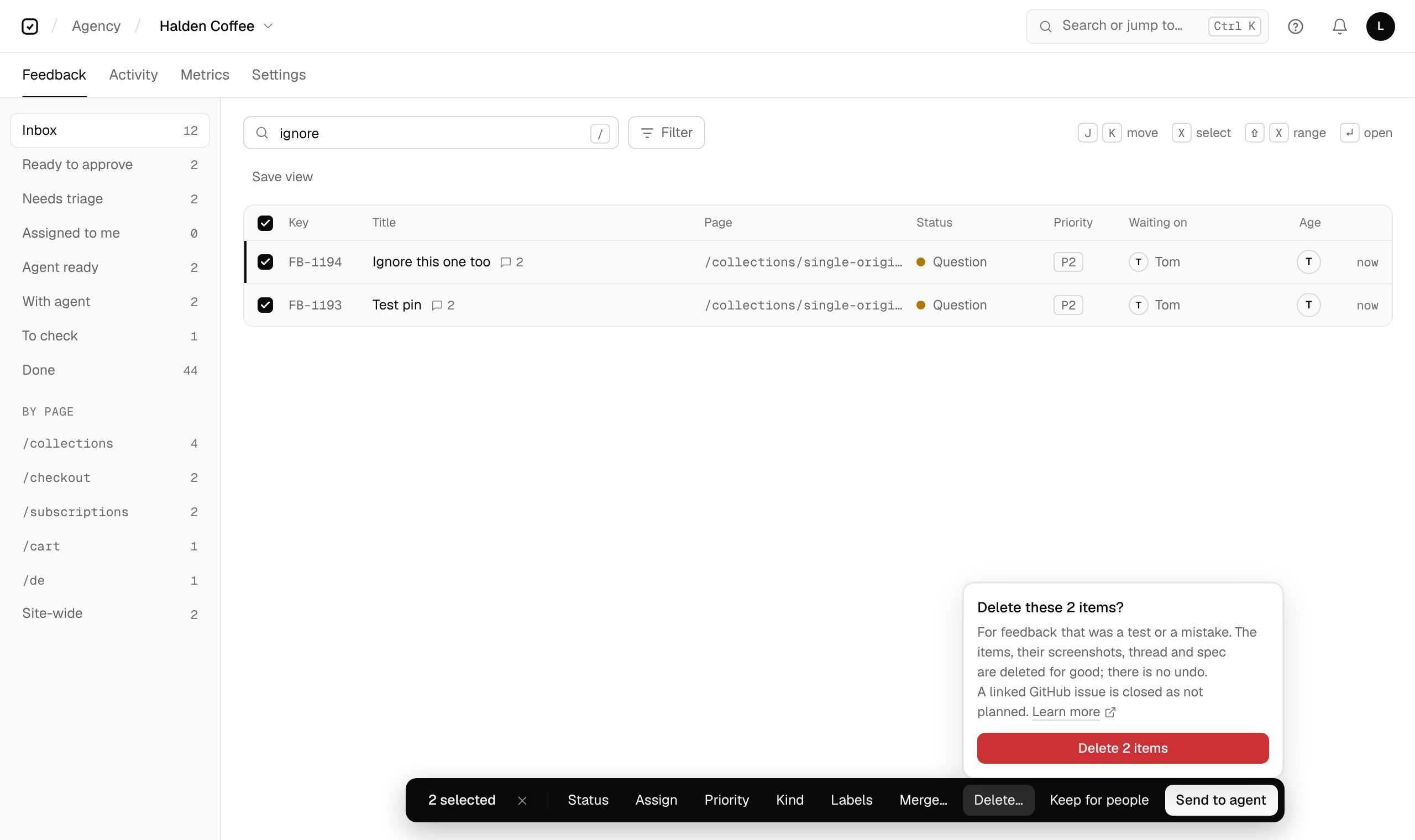
Select the items (click a row's checkbox, or Shift-click for a range), then Delete… in the bar at the bottom. It asks first and says there is no undo. Each item is checked on its own: if one can't be deleted, the rest still go and the message says which one stayed and why.
On the item page
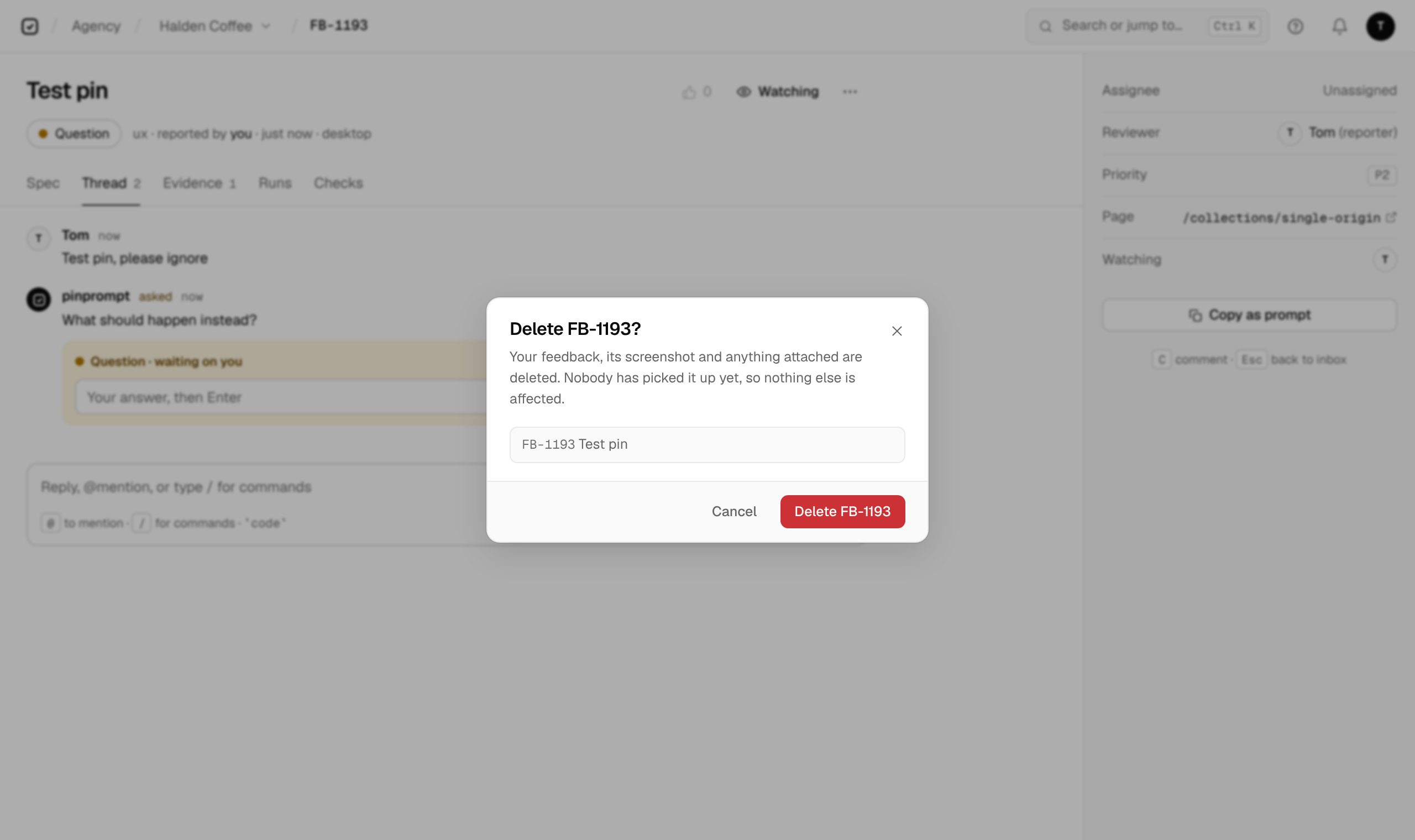
More actions (⋯) → Delete… at the top of the item. A client finds Delete next to "You reported this".
On the pin, on the site
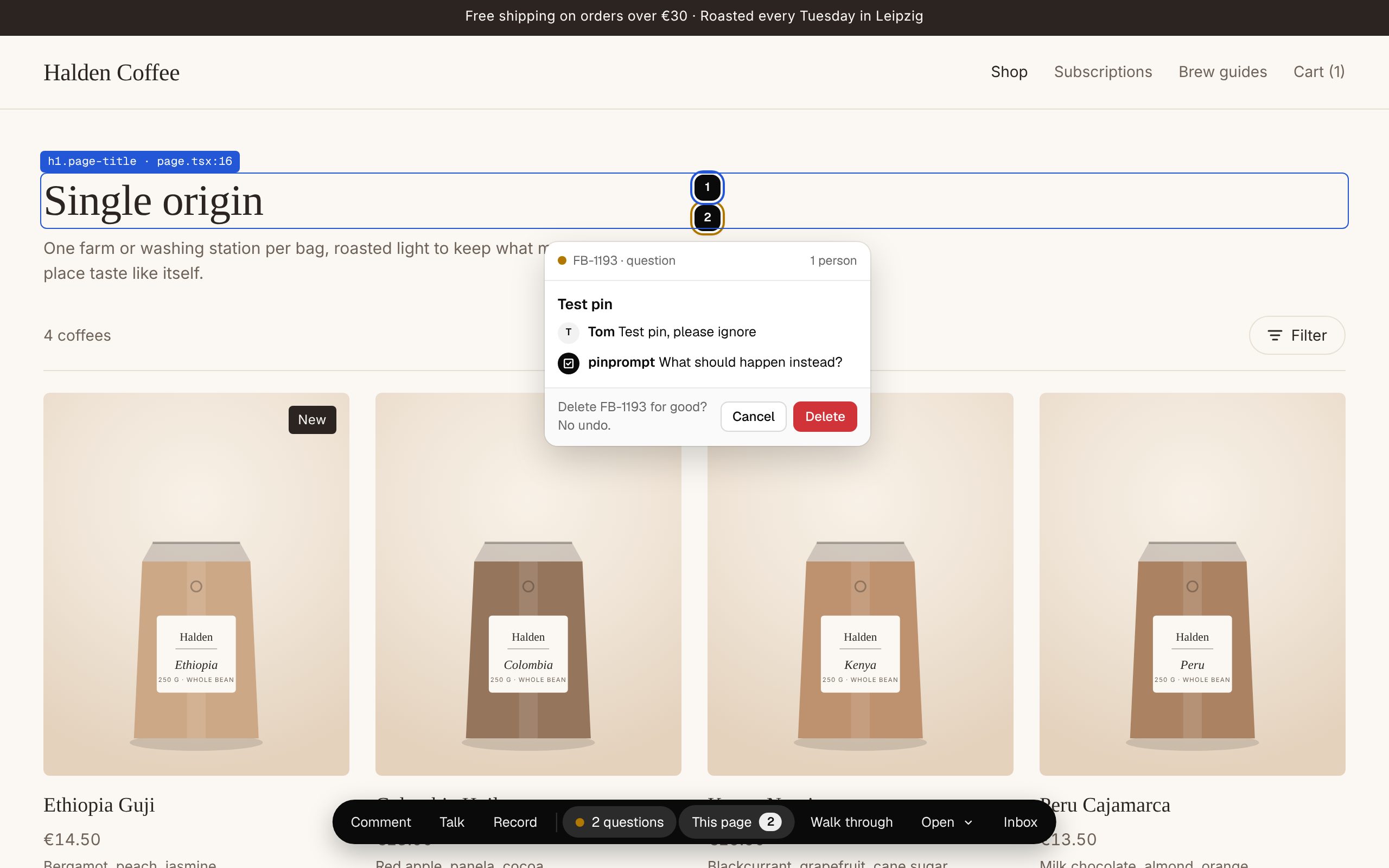
Open the pin on the site and click the bin at the bottom of its card. The card asks Delete … for good?; Delete removes it and the pin leaves the page. It works the same in the extension, on a review link (nothing installed) and in Sanity Presentation.
On the site, everyone, owners included, can delete only their own feedback that nobody has picked up, so the bin shows only on those pins. Anything else is deleted in pinprompt itself, from the inbox or the item page. A page you review can't then delete the team's or a client's feedback for good.
In the Chrome extension the bin needs version 0.2.3 or later; the review link and Sanity Presentation have it as soon as the server is updated. Until then, delete from the inbox or the item page.
What gets deleted
The item, every version of its spec, its thread, labels, +1s, screenshots and other evidence files, its search entries and its notifications are deleted for good. There is no undo, and keys are never reused.
What stays:
- The activity feed keeps one line: "deleted FB-1203", with no title or text.
- Integrations get an
item.deletedevent with the key and no content. A linked GitHub issue that is still open is closed as not planned ("FB-1203 was deleted in pinprompt"); its text stays on GitHub. A Jira issue or Sanity draft is left as it is. - Metrics stop counting it.
- Backups of the server taken before the delete still hold it until they expire (Sensitive data).
Over the API
DELETE /api/v1/items/<KEY> deletes one item. With the web app's session it follows the rules above; with a personal API token (what the extension uses) or a review link's token, only your own feedback that nobody has picked up. Agents' tokens get 403.