Running pinprompt
Running pinprompt
What a pinprompt server needs, how to run it on a host like Railway, and the settings that matter.
pinprompt is one Node.js web app with a SQLite database and a folder of evidence files. It runs on any host with Node 22 and a persistent disk. The examples on this page use Railway, where it runs as one service with one volume.
What it needs
- Node 22 and pnpm 10.
- A persistent disk for
PINPROMPT_DATA_DIR(the database and screenshots), with backups. - An https address, set as
PINPROMPT_BASE_URL. - A way to send email (Resend's API, or SMTP) for sign-in links and notifications.
The settings that matter
| Setting | Why |
|---|---|
PINPROMPT_BASE_URL | The only address used in links and sign-in. The server won't start without it. |
PINPROMPT_SECRET_KEY | Encrypts integration tokens. Change it only as described in [Rotate the secret key](#rotate-the-secret-key), or saved tokens become unreadable. |
PINPROMPT_MAIL, PINPROMPT_RESEND_API_KEY or PINPROMPT_SMTP_URL, PINPROMPT_MAIL_FROM | Sign-in links and notifications. See [The emails](#the-emails). |
PINPROMPT_MAIL_REPLY_TO | Where replies to pinprompt's emails go. Unset, PINPROMPT_CONTACT_EMAIL is used; with neither, replies go to the sender address, which on a sending-only domain bounces. |
PINPROMPT_OWNER_EMAIL | On an empty database, the only email allowed to create the workspace. Also who gets the server-wide alerts (see Alerts) and who triages Feedback on pinprompt. |
PINPROMPT_OPERATOR_EMAILS | The people who run the server, with PINPROMPT_OWNER_EMAIL. They see the Operator console with every workspace, approve access requests and get the server-wide alerts. |
PINPROMPT_LEGAL_NAME and the other PINPROMPT_LEGAL_* | Only when you host pinprompt for other agencies: your company's details, which turn on the Terms, DPA and sub-processor pages and the "you agree" lines at sign-up and checkout (Terms, DPA and sub-processors). |
PINPROMPT_SENTRY_DSN | Send unexpected errors to Sentry, scrubbed. Unset, nothing is sent. Error reports |
PINPROMPT_PRODUCT_FEEDBACK | off hides Feedback on pinprompt everywhere and refuses new reports. On by default. |
ANTHROPIC_API_KEY | Claude drafts specs and runs fix rounds. Without it a rule-based drafter writes specs and fix rounds don't run. |
PINPROMPT_GOOGLE_CLIENT_*, PINPROMPT_GITHUB_CLIENT_* | Sign in with Google or GitHub, for members and invitees only. |
PINPROMPT_INDEXING, PINPROMPT_CANONICAL_URL | Search engines. PINPROMPT_INDEXING=off keeps the server out of them entirely; by default only the landing page, docs and client guide are indexable, never the app. PINPROMPT_CANONICAL_URL points those pages' canonical links at another copy of them. |
PINPROMPT_EXTENSION_STORE_URL | The extension's Chrome Web Store listing (https://chromewebstore.google.com/detail/…). With it, /extension offers one Add to Chrome click; without it, people load the extension unpacked in chrome://extensions with Developer mode. Install the extension |
Every setting, with what happens without it: Production deploy checklist.
The emails
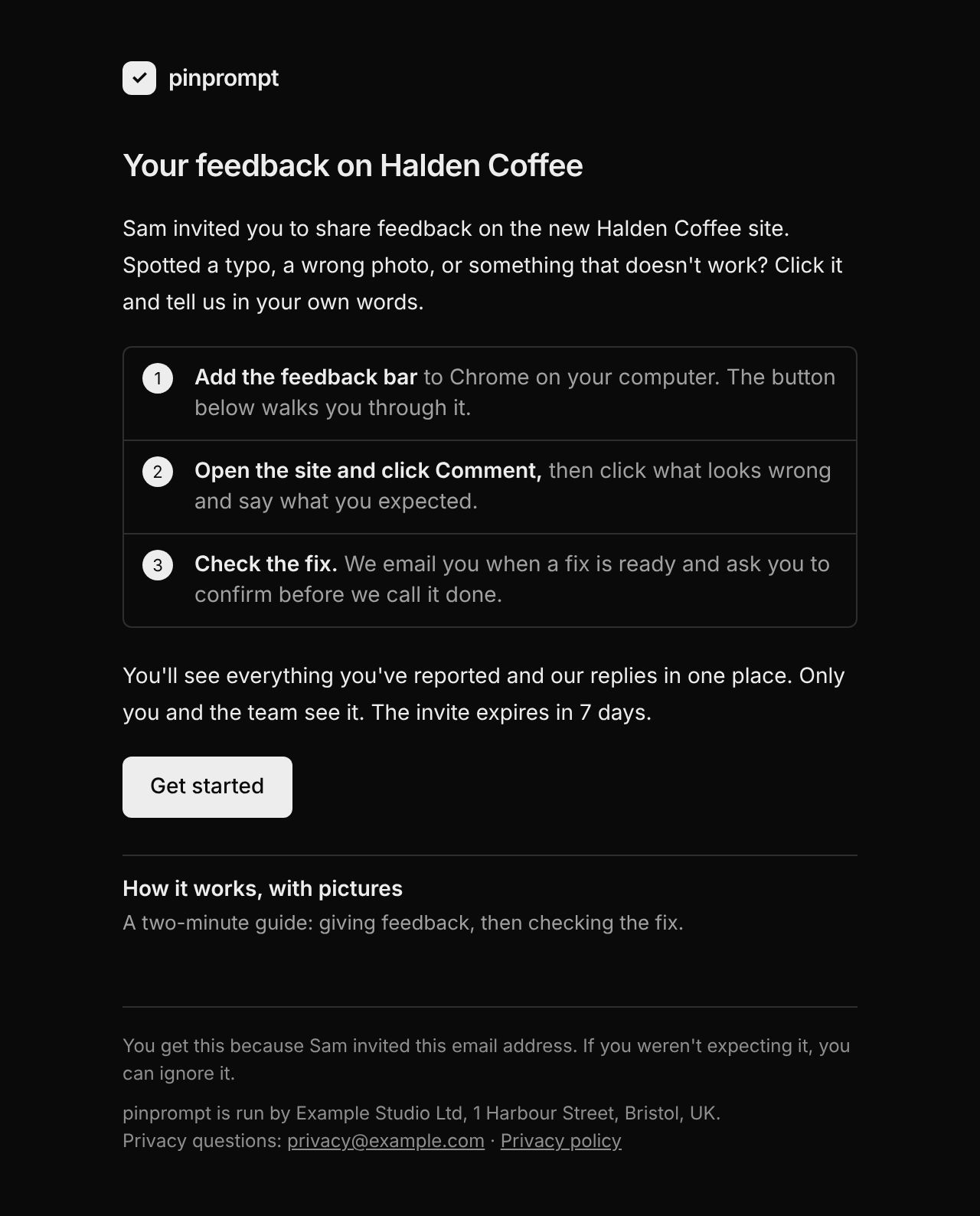
Every email pinprompt sends uses one layout: the pinprompt logo, a heading, the message, one button, and a small footer that says why the person gets it. That covers sign-in links, invites (team and client), notifications and their digests, access requests, trial reminders, workspace suspensions, alerts, replies to Feedback on pinprompt and the operators' Monday email.
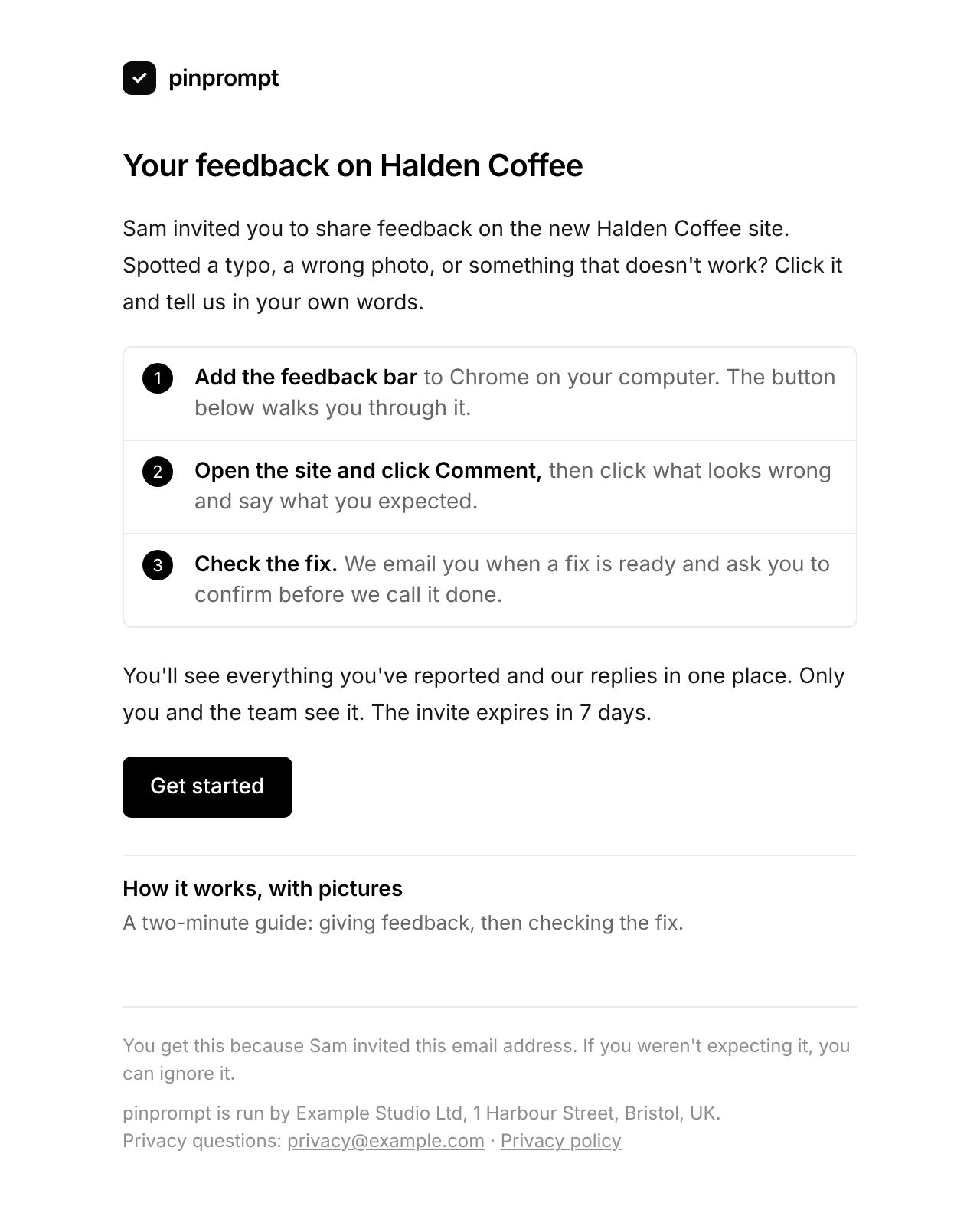
- Light and dark. Mail apps in dark mode (Apple Mail, iOS Mail, Outlook for Mac) show it white on black. Gmail's apps darken it on their own.
- Plain text too. Each email also carries a plain-text copy with the same words and links, for mail apps that don't show HTML.
- Phones. The layout is one column at most 480 pixels wide, so it reads the same on a phone.
- Who sends it. The sender is
PINPROMPT_MAIL_FROM, for examplepinprompt <pinprompt@notify.agency.com>. Replies go toPINPROMPT_MAIL_REPLY_TO(orPINPROMPT_CONTACT_EMAIL). - The footer. When the server sets
PINPROMPT_LEGAL_NAME, every email ends with "pinprompt is run by" that company andPINPROMPT_LEGAL_ADDRESS, the privacy contact (PINPROMPT_PRIVACY_CONTACT, elsePINPROMPT_CONTACT_EMAIL) and a link to the server's/privacy. A self-hosted server that doesn't set it sends no company line. - Payment receipts and invoices come from Stripe, not from pinprompt. Their logo, colour and business details are set in the Stripe dashboard (Settings → Business → Branding and Public details, and Settings → Billing → Customer emails).
Updates and rollback
Each deploy is a numbered release; what's in it is on the changelog, and the same notes are on the repository's GitHub releases. Deploys run the database migrations on start. Each release's notes say whether a migration changes existing tables. To roll back, redeploy the previous deployment; new tables are ignored by the older version.
To have every merge tested on a second copy before a release reaches production, see Staging and the release gate.
Backups
pinprompt copies its database every night to backups/ in PINPROMPT_DATA_DIR, checks the copy and keeps 14 days. Set PINPROMPT_BACKUP_DIR to put the copies on another disk, PINPROMPT_BACKUP_KEEP_DAYS to keep more or fewer, or PINPROMPT_BACKUP=0 to turn it off. The copies sit on the same volume as the data, so also turn on your host's volume backups (Railway: the volume's Backups tab), which also cover the screenshot files.
To restore: stop the service, copy the backup you want over pinprompt.db in the data folder, delete pinprompt.db-wal and pinprompt.db-shm next to it, and start the service. Feedback filed after that night's copy is lost, and its screenshot files stay on the disk without an item. If you have [rotated the secret key](#rotate-the-secret-key) since that copy, set the old key as PINPROMPT_SECRET_KEY_PREVIOUS for the first start after the restore.
Rotate the secret key
PINPROMPT_SECRET_KEY locks the secrets pinprompt keeps for its integrations: the GitHub App's private key, Jira and Sanity tokens, the Slack webhook URL and webhook signing secrets. Rotate it when it may have leaked, for example after an incident at your host. Nobody has to reconnect anything.
- 1.Make a new key:
openssl rand -base64 32. - 2.In your host's variables (Railway: the web service → Variables), change both before deploying anything: add
PINPROMPT_SECRET_KEY_PREVIOUSwith the current value ofPINPROMPT_SECRET_KEY, then setPINPROMPT_SECRET_KEYto the new key. On Railway, change both and apply them as one deploy. A deploy with the new key but noPINPROMPT_SECRET_KEY_PREVIOUScan't read any integration until you add it and deploy again. - 3.Deploy once. On start, pinprompt locks every stored secret again with the new key, before anything uses them, and writes one line to the log:
[secrets] key rotation: 5 re-sealed with the new key, 0 already on it, 0 no key opens. - 4.When the next line says remove PINPROMPT_SECRET_KEY_PREVIOUS, delete that variable and deploy again. From then on the old key opens nothing.
It is safe to repeat: secrets already on the new key are left alone, and if the server stops halfway, the next start finishes the rest. While PINPROMPT_SECRET_KEY_PREVIOUS is set, the server reads with either key and the boot check warns that a rotation is in progress.
If no stored secret opens, the log says PINPROMPT_SECRET_KEY_PREVIOUS is probably wrong. Check that it holds the old PINPROMPT_SECRET_KEY exactly before reconnecting anything; nothing was changed, so the next deploy with the right value finishes the rotation.
If the log lists a secret that no key opens while others moved, it was locked with a key you no longer have. Reconnect that integration in project settings; until then keep PINPROMPT_SECRET_KEY_PREVIOUS if other secrets still need it.
Backups taken before the rotation hold secrets locked with the old key. To restore one, put the old key in PINPROMPT_SECRET_KEY_PREVIOUS for one start; that start locks them with the new key, and the log tells you when to remove it. If you rotated because the old key may have leaked, those older backups are still readable with it: once the rotation is done, consider deleting backups from before the leak.
Rotating also ends two short-lived things signed with the key: screenshot links already posted in GitHub issues (each issue gets new links the next time its item changes) and integration sign-ins that are halfway through (start them again).
Alerts
pinprompt watches what can fail quietly: Claude drafting (falling back to the rule-based drafter), the workspace's Claude spending cap, Claude fix rounds, email, GitHub, Jira and the nightly database copy. When one keeps failing, the owners it concerns get an email and a red banner in the app, and Workspace settings → Server health shows the last error and what to check. Fix rounds, GitHub and Jira belong to a workspace, so only that workspace's owners hear about them. Claude drafting, email and the backup belong to the server, so only its owners do: the account of PINPROMPT_OWNER_EMAIL, or the owners of the first workspace when that isn't set. Drafting, email, GitHub and Jira alert after three failures in a row, since they retry on their own; a failed fix round or backup alerts at once. The next success clears the banner, and owners get at most one email a day about the same thing, also when it fails, recovers and fails again.
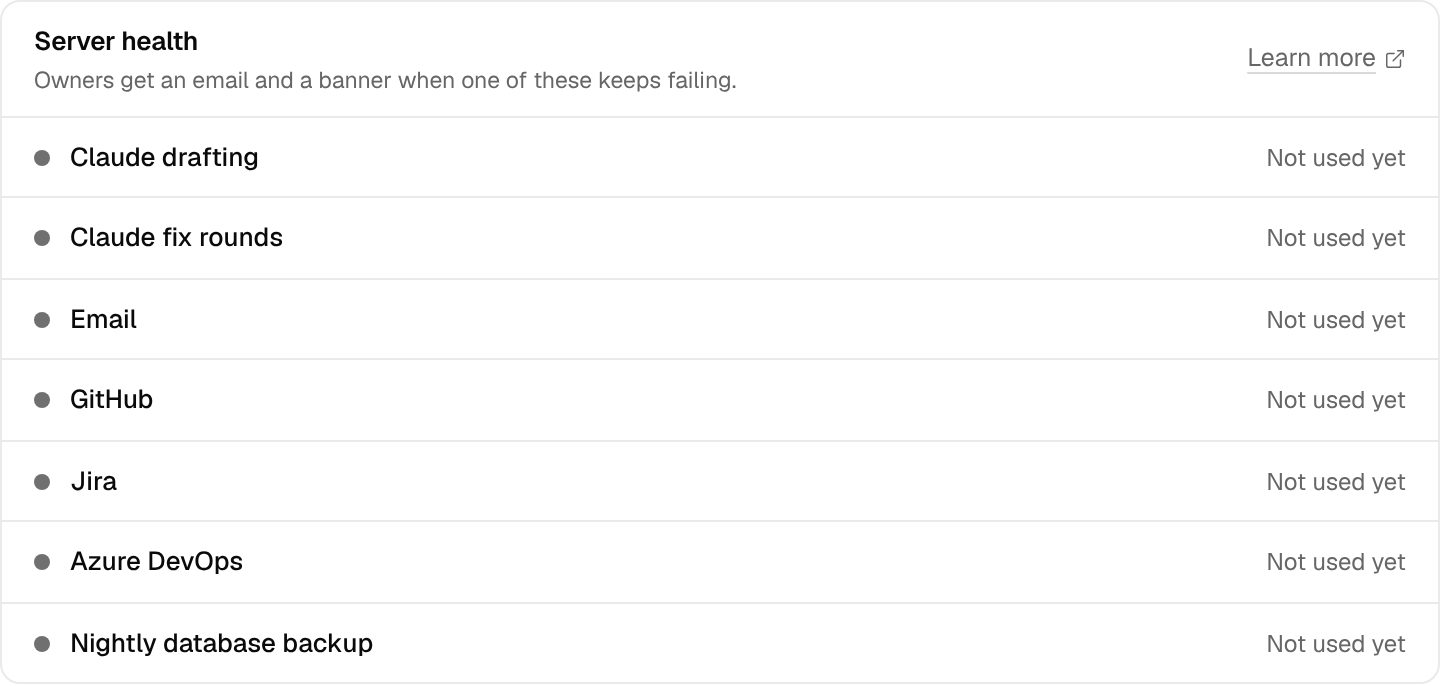
If email itself is what fails, the banner is the alert. For the server being down, point an uptime checker at /api/health, and for crashes set up error reports. For failed deploys, also switch on your host's own notifications (Railway: your account's notification settings, for failed and crashed deployments).
Claude spending cap
Claude drafting costs money on your Anthropic account: each draft, each Just comment note Claude structures, a project brief drafted from the repo, and Learned from feedback. Workspace settings → Claude spending cap sets a monthly limit for the whole workspace: $25, $50, $100 (the default), $250, $500, $1,000, or no cap. The card shows what this month has cost so far.
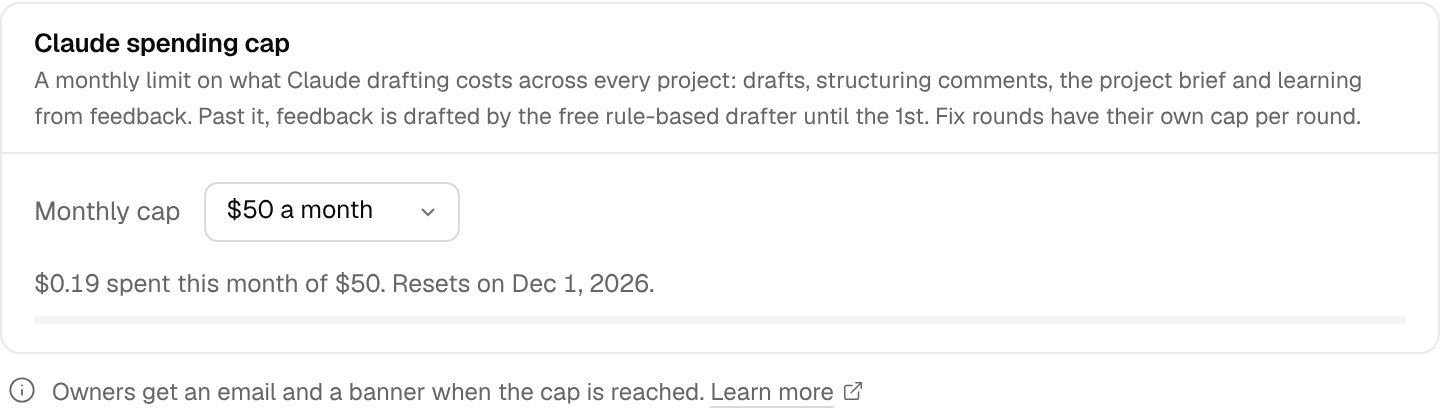
Once the cap is reached, new feedback is drafted by the free rule-based drafter until the 1st of next month (UTC), and the workspace's owners get an email and a banner. Nothing is lost: people can still leave feedback, and an owner can raise the cap to switch Claude back on at once. Fix rounds have their own cap per round (Settings → Rules) and don't count here.
Each person can also draft and send at most 60 times in 10 minutes, so a stuck script or a leaked token can't run up the bill.
Only workspace owners change the cap, in the app. An app connected as the owner over MCP can lower it but not raise or remove it.
Your data
Owners can export a project as a zip of JSON and files, set how long evidence of closed items is kept, and delete items, projects and people. The privacy page at /privacy describes the same to users.
FAQ
Can it run somewhere other than Railway? Yes, anywhere that runs Node 22 with a persistent disk: a VM, Render, Fly, a client's own server. So far it has only been run on Railway, so the examples here use it.
Does it need Postgres? No. SQLite on the volume is enough for an agency's projects.
Does it work without the Anthropic key? Yes. Specs are drafted by rules and agents still work over MCP; fix rounds need the key.
Can anyone sign up? No. Each server is invite-only: the owner set in PINPROMPT_OWNER_EMAIL creates the workspace and invites everyone else.