Reference
Microsoft Teams
Posts items that need someone to a Teams channel as they happen, plus a daily digest. It does the same as Slack, as Teams cards: same choices, same bulk messages, same digest. It uses a Teams Workflows webhook (one channel per webhook), so there is no Teams app to install and nothing in Teams can read pinprompt. A project can have Slack and Teams at the same time.

Set it up
You need the owner role on the project.
- 1.In Teams, open the channel, then ••• → Workflows and pick Send webhook alerts to a channel (Microsoft's template; Post to a channel when a webhook request is received is the same thing). Name it, check the team and channel, and Save. Copy the URL it shows (
https://….logic.azure.com/workflows/…orhttps://….api.powerplatform.com/…/workflows/…). It is a secret: anyone with it can post to the channel. Microsoft's steps - 2.In pinprompt: Project → Settings → Integrations → Microsoft Teams → Connect Microsoft Teams. Paste the URL, optionally a channel label for the card (
Client › QA), choose what posts right away and when the digest runs. - 3.pinprompt posts a test card on connect. Send test message and Send digest now are on the card at any time.
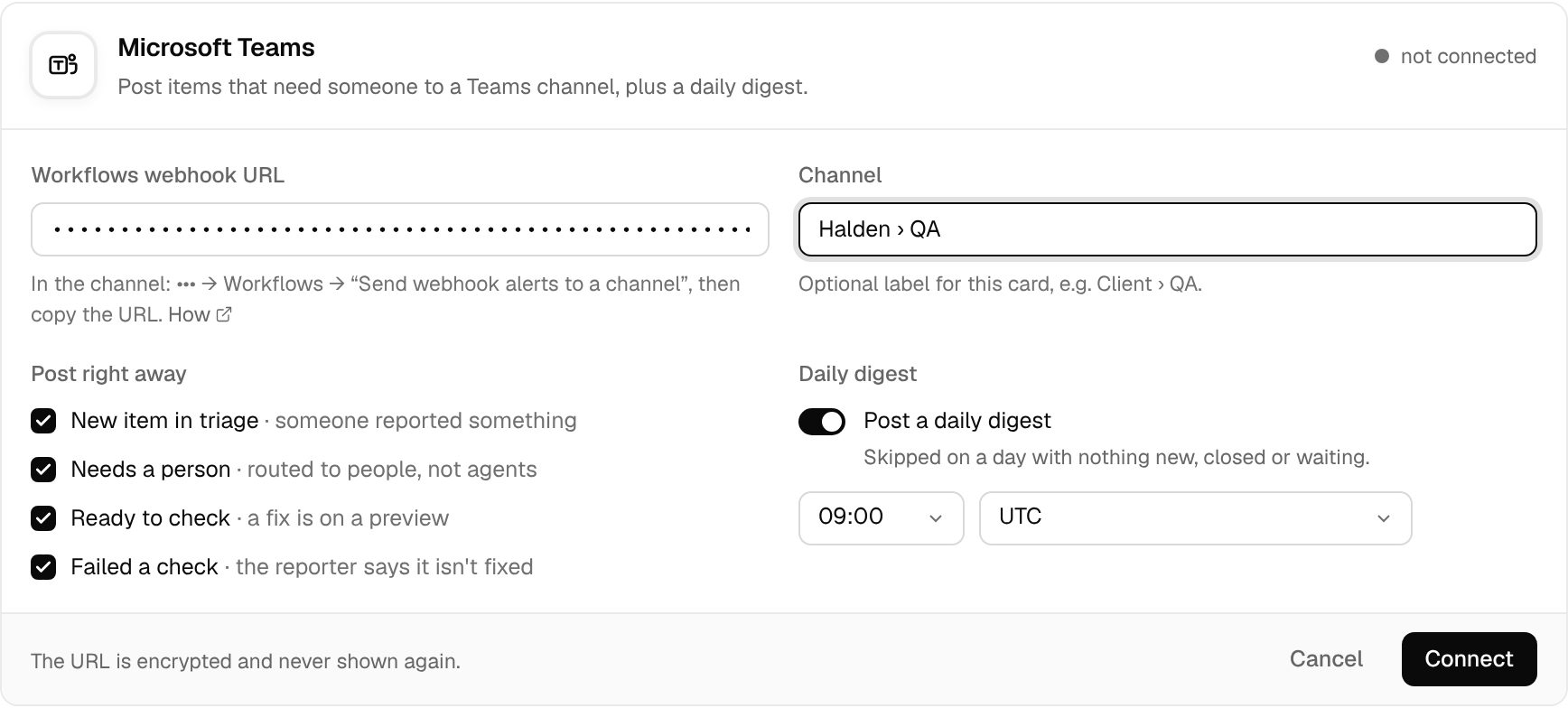
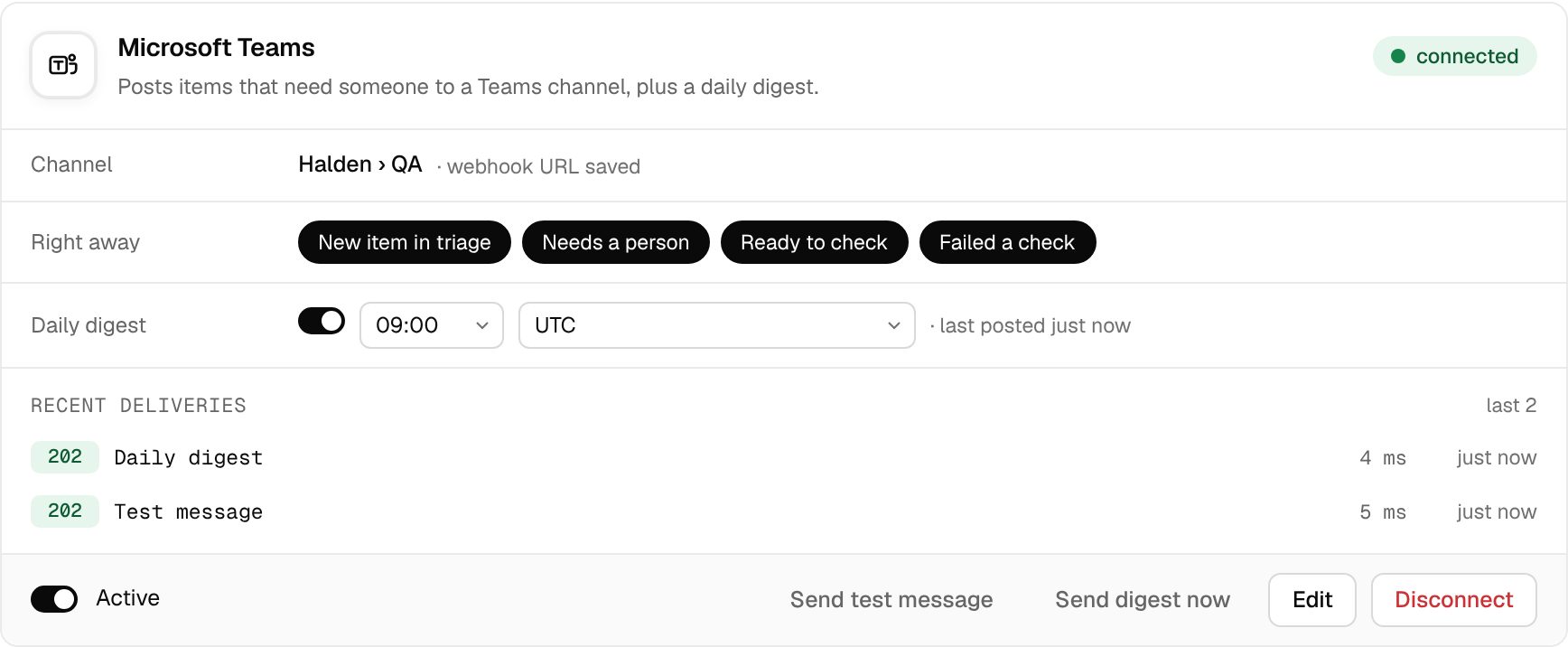
The URL is encrypted with PINPROMPT_SECRET_KEY and never shown again; Edit → Replace webhook URL to move channels. In production only Workflows URLs are accepted: https://<anything>.logic.azure.com/workflows/… and https://<anything>.api.powerplatform.com/…/workflows/….
Old Office 365 connector URLs (https://….webhook.office.com/webhookb2/…) are refused with a pointer to Workflows: Microsoft retired those connectors.
If the workflow's trigger says Who can trigger the flow: Any user in my tenant, Teams refuses pinprompt (it isn't signed in to your tenant). Set it to Anyone; the secret URL is what protects it, as with Slack.
Right away
| Choice | Posted when |
|---|---|
| New item in triage | an item is created in Needs triage |
| Needs a person | an item moves to With people |
| Ready to check | an item moves to To check (a fix is on a preview) |
| Failed a check | a reporter fails the check (with their note) |
Each message is an Adaptive Card (version 1.4, full width): the headline with the item key linked to pinprompt, the title, the reporter's note on a failed check, a line with the project, page path, kind, priority and who did it, and an Open FB-12 button. The headline is coloured by status only (amber for needs a person, blue for ready to check, red for failed). A title can't fake a link, and nothing can mention a person or the channel (a Teams mention needs data pinprompt never sends). Never sent: screenshots, specs, code paths, emails or costs.
Bulk changes
Like Slack: a bulk change posts one card per change with up to 10 linked item keys and "and 4 more", and its undo posts one Undone card, only if the change itself posted something. See Slack › Bulk changes.
Daily digest
The same digest as Slack, at the hour and time zone you pick: New, Closed, Waiting on people and First-try fixes, 7 days as a fact list, the newest five items with links, and an Open the inbox button. A day with nothing new, closed or waiting posts nothing.
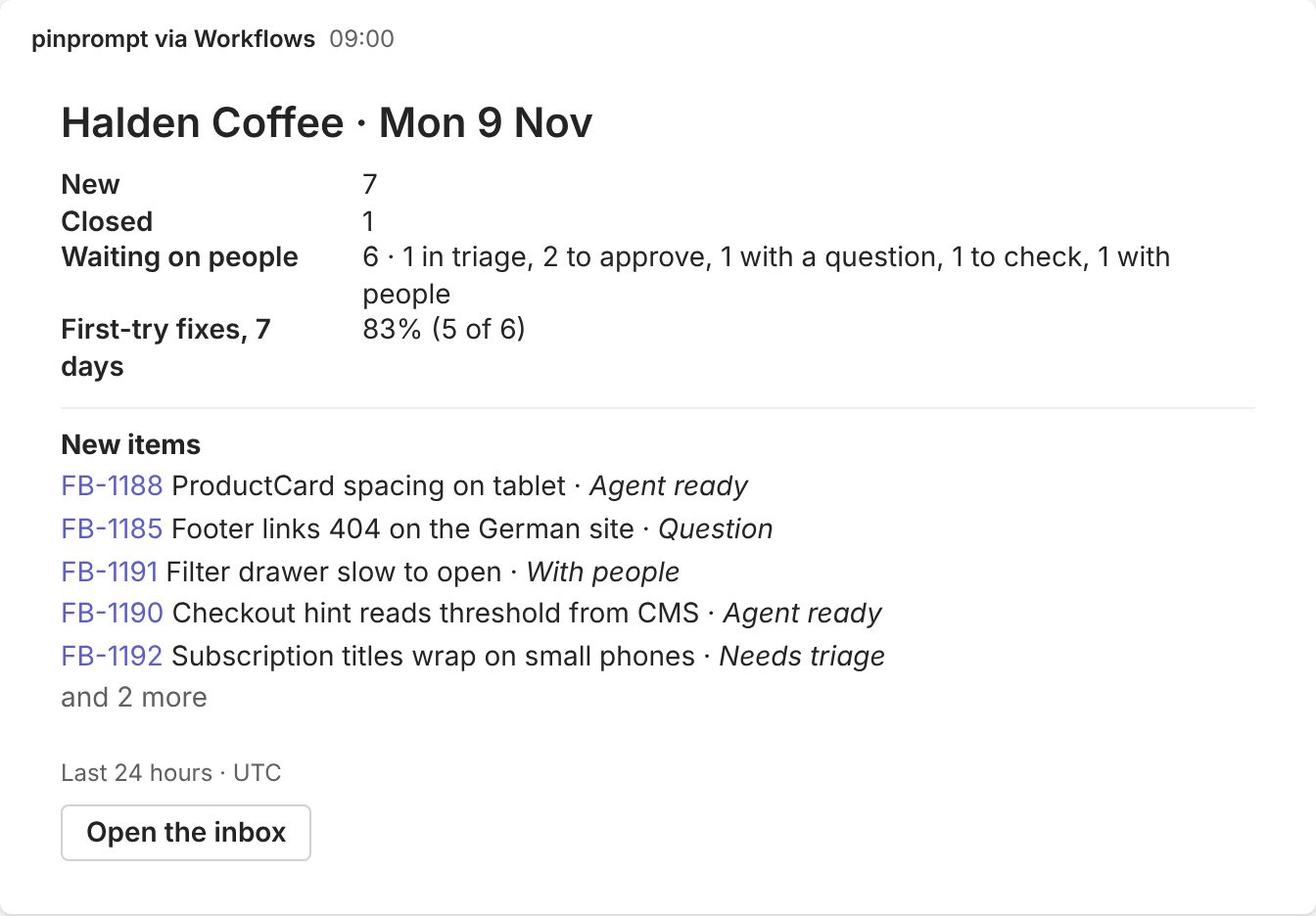
It is posted once per day per connection: the job_state row teams-digest:<integration id> records the last digest, claimed with a compare-and-set, so two servers never both post. A failed post is tried again 15 minutes later, for up to 6 hours. Slack and Teams on the same project each keep their own schedule. The slack-digest job (it runs every minute with the other jobs) posts both.
Failures
A Workflows webhook answers 202 Accepted and posts the card a moment later. If the card log says 202 but nothing shows in the channel, open the workflow in Teams (Workflows → Manage) and look at its run history: the workflow itself failed (for example, it was pointed at a channel that's gone).
Immediate posts go through the integration runner: a 5xx, 429 (Teams throttles busy workflows) or timeout is retried with backoff (six attempts in about 15 minutes). These are not retried, and the card says why:
| Answer | What the card says |
|---|---|
404 / WorkflowNotFound | the workflow was deleted; make a new one and update the URL |
401 / DirectApiAuthorizationRequired | set Who can trigger the flow to Anyone |
WorkflowTriggerIsNotEnabled | the workflow is turned off |
400 | Teams didn't accept the card (the workflow must post the card it receives) |
403, 410 | an admin blocked it, or the webhook is gone |
Every attempt is on the card with its status code and latency.
How it's built
Slack and Teams share one chat layer in packages/core/src/integrations/chat/: the settings, which events post, bulk messages and the digest schedule. Each provider (slack/, teams/) is only how its messages look and how its webhook answers, so another chat tool is one more provider.
Tests
Tests never call Teams: the URL points at a local receiver (packages/core/test/outbound-mock.ts), and the end-to-end run hands *.logic.azure.com to a stand-in. See packages/core/test/teams.test.ts and e2e/tests/21-webhooks-slack.spec.ts. It has not been tried against a real Teams tenant yet.