For teams
Inbox and triage
The project inbox as a list or a board, approving specs, routing to agents or people, duplicates, bulk changes and saved views.
Every pin lands in the project's inbox. The inbox answers one question at a glance: what is waiting, and on whom.
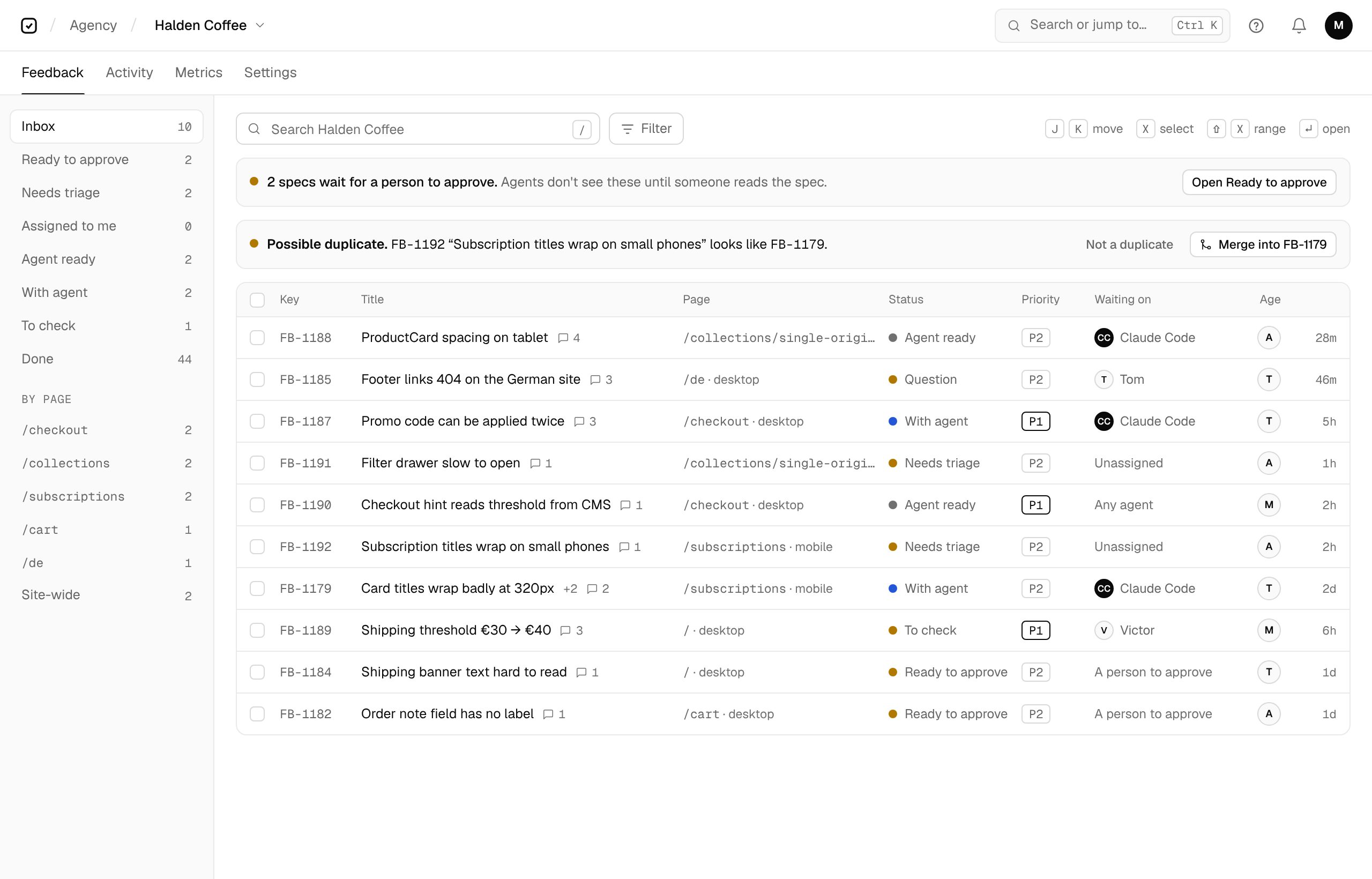
List or board
List | Board next to Filter switches how the inbox shows the same items. The board has a column per status, in the order work flows: Needs triage, Ready to approve (when something waits there), Question, Agent ready, With agent, With people, To check and Done (the 50 most recent, Won't fix included). Filters, search, saved views and By page work on both, and pinprompt remembers the one you picked last.
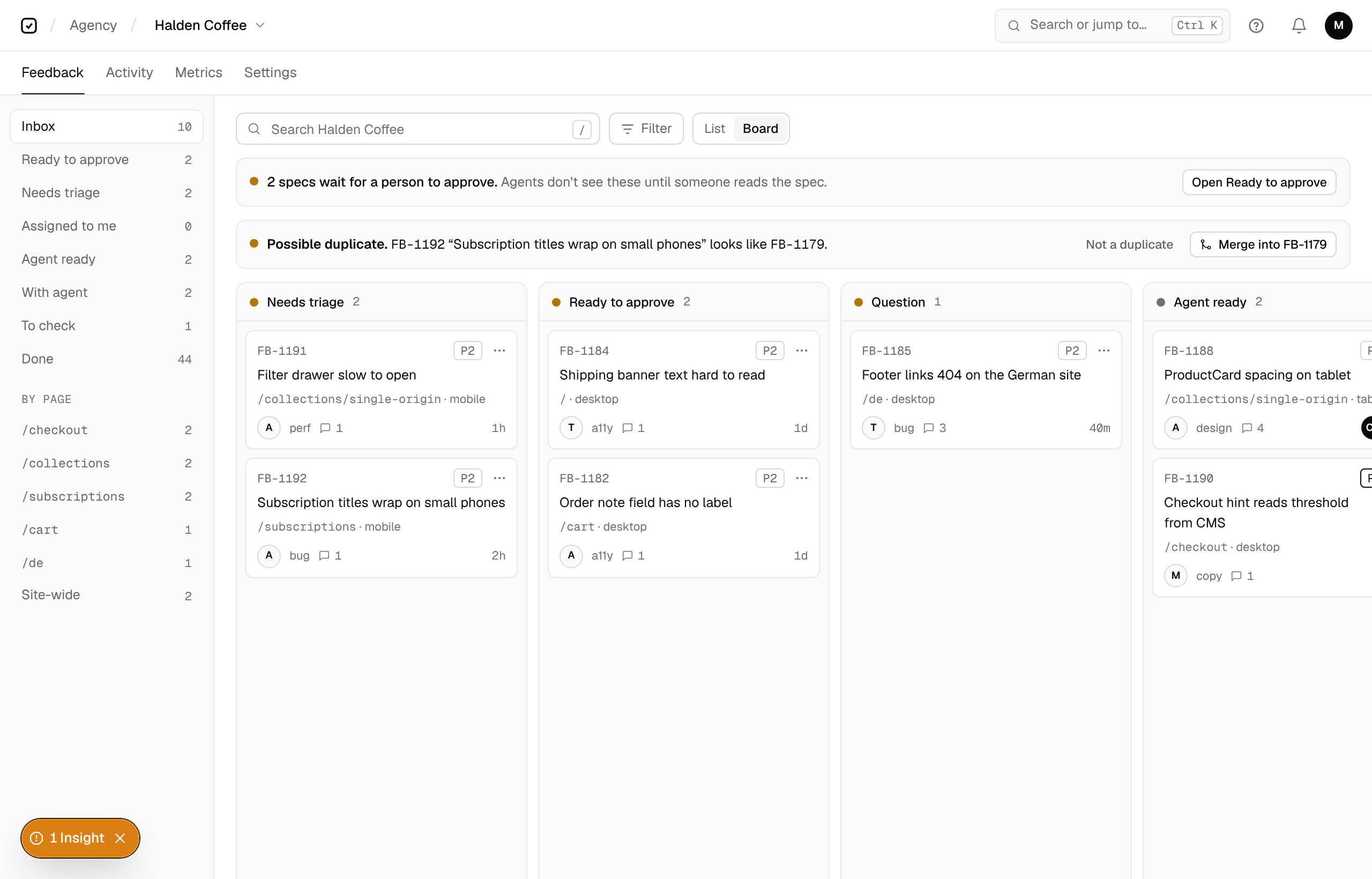
Drag a card to another column to change its status. While you drag, the columns it can't go to fade, and hovering one says why. A drag follows the same rules as the item page: the move is refused if the status rules don't allow it, and Undo in the message puts it back. Dropping a card on Done is the same as Close → It's fixed on the item, from any open status: its open questions are settled, an agent working on it stops, and in To check it counts as the sign-off. Dragging a closed card back to Needs triage reopens it. On a phone, with the keyboard or a screen reader, use ⋯ → Move to on the card; it lists only the moves that are allowed.
Some moves stay on the item, on purpose:
- Approving a spec (Ready to approve → Agent ready): open it, read the spec, approve it.
- Asking the reporter (Question): use Ask on the item.
- With agent: an item gets there when an agent picks it up.
- An item with an open question goes to agents once the question is answered or dismissed.
Owners, developers and PMs move cards. QA, clients and agents see the board but can't drag. Clients get their own board of the items they reported, in plain words: see Checking a fix.
Triage an item
- 1.Read the spec and approve it when it says the right thing. By default, agents don't see an item until a person has approved its spec. Edit the expected result or the checks first if they're off.
- 2.Route it: to agents (Agent ready) when the spec is precise and a check can prove the fix, or to people (With people) for taste, risk or anything without a clear reference.
- 3.Set priority and, if you want, assign it.
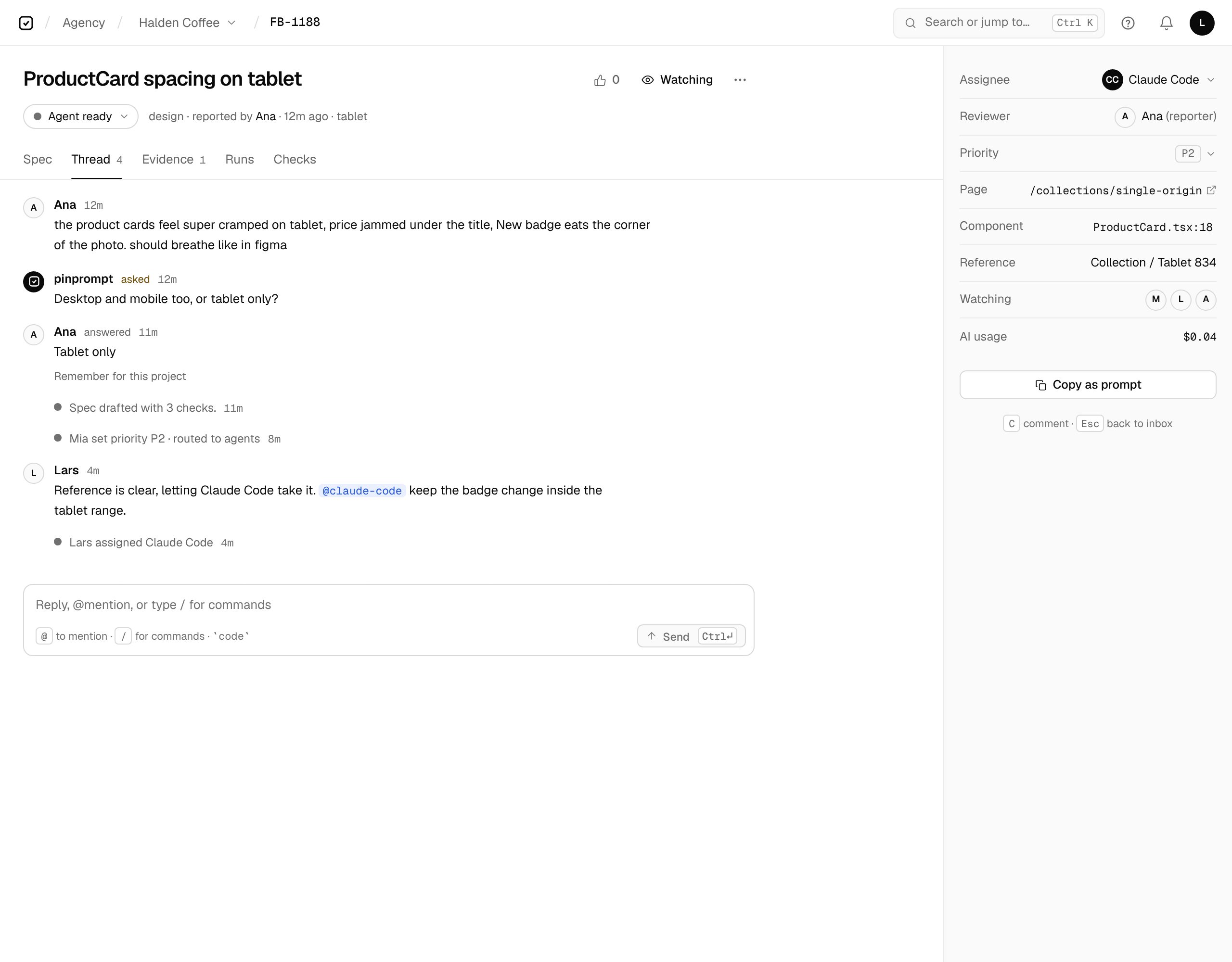
Copy as prompt on any item copies its spec in a form you can paste into any agent, without MCP.
Kinds that always stay with people
An owner can keep whole kinds away from agents in Settings → Rules, under Always keep these kinds with people (say ux and design, when a designer decides those). !Always keep these kinds with people, in Settings → Rules

Every item of a ticked kind lands in With people, whatever its spec says, and agents can't claim it. Untick a kind to send its items to agents again. Agents can't change this list, so an agent that fixed one of these items asks you to send it to agents or move it to To check yourself: When an item is kept for people.
Duplicates
When a new item looks like an open one, the inbox offers Merge into… or Not a duplicate. A merged item closes as Merged and points at the one it was folded into.
Work through many at once
J/Kmove,Xselects,Shift+Xselects a range,Enteropens.- Select several and change status, priority, kind, labels or assignee in one go. A bulk change can be undone.
- Delete… in the same bar deletes test pins and mistakes, after asking (no undo). Owners, developers and PMs; see Deleting feedback.
- Filter by status, kind, priority, page, label, assignee or reporter, and save a filter as a view.
Checks
Each item's checks become a Playwright test you can download from the Checks tab, or an agent can fetch it.
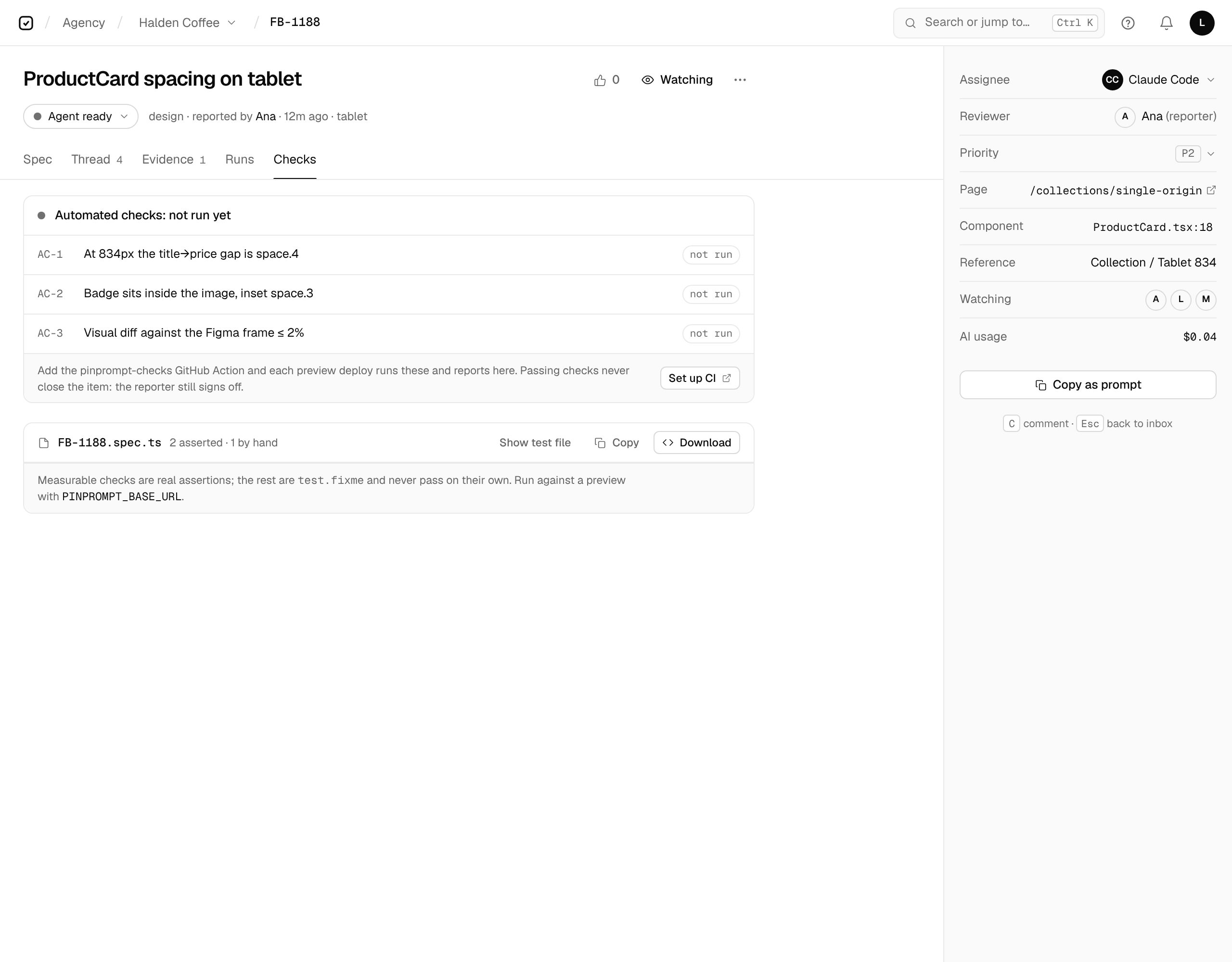
The test file is generated for real. The GitHub Action that runs it against a preview and posts the result back hasn't run on a real site yet. See Playwright checks.