Running pinprompt
Staging and the release gate Beta
A second copy of pinprompt that every merge reaches first, and a gate that runs the whole test suite and smoke checks on it before a release goes to production.
A running pinprompt is a product people pay for, so a release reaches production only after it has run on staging and passed the whole test suite there. Ordinary merges get a quick smoke check. This page describes that path. It works on any host. The examples use Railway.
merge to main ──▶ staging deploys it ──▶ the gate: smoke checks on staging (a cut release: also unit tests, typecheck, every end-to-end test)
                                                      │
                                    passed, and it's a cut release
                                                      ▼
the production branch moves to that commit ──▶ production deploys it- Every merge goes to staging, and the gate tests it. You see the result as a check on the commit in GitHub (
pinprompt/release-gate), with a link to the run. - Only a cut release goes further (a commit whose
apps/webversion has its own section in the changelog: [Releases](#releases-and-rollback)). Ordinary merges stay on staging. - Production never follows main. It follows a
productionbranch that only the gate moves, and only forward to a commit that is already on main. If your host asks for an approval (Railway can), you still approve, but only commits that have already passed.
Staging
Staging is a second copy of the server with its own database, its own secrets and test-mode payments. Set PINPROMPT_ENVIRONMENT=staging on it.
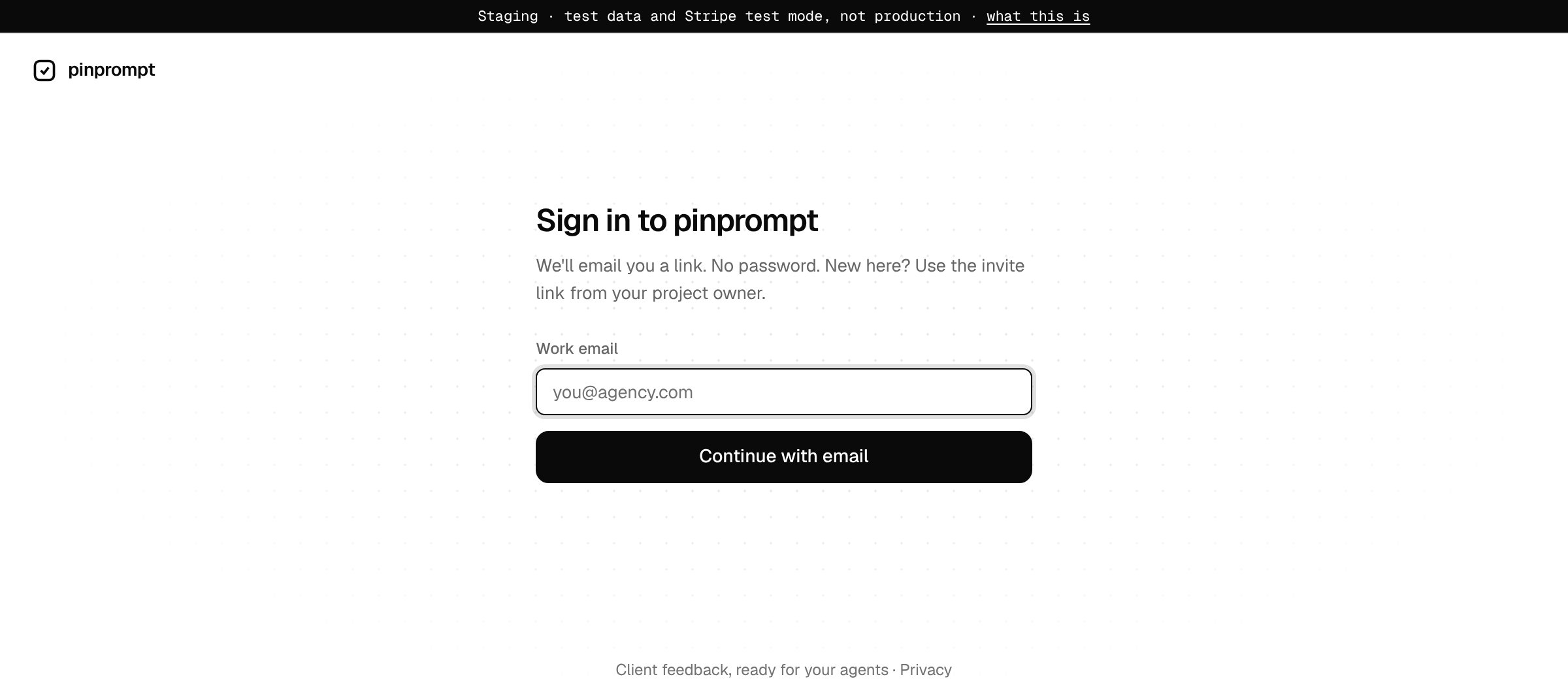
A production build with any name other than production:
- shows a thin Staging banner on every page, so nobody mistakes it for the real thing;
- stays out of search engines, whatever
PINPROMPT_INDEXINGsays; - starts every email subject with
[Staging]; - won't start with a live Stripe key (
sk_live_…orrk_live_…). Use the Stripe test key, so a test checkout can never charge a real card.
| Setting on staging | Value |
|---|---|
PINPROMPT_ENVIRONMENT | staging |
PINPROMPT_BASE_URL | Staging's own address, e.g. https://staging.pinprompt.example |
PINPROMPT_SECRET_KEY | A new key (openssl rand -base64 32). Never production's. |
PINPROMPT_HEALTH_TOKEN | A long random secret, the same one the gate has as GATE_HEALTH_TOKEN. With it, /api/health also says which version and commit are serving. Without it, /api/health never says. |
STRIPE_SECRET_KEY, STRIPE_WEBHOOK_SECRET | Stripe test mode key, and the signing secret of a test-mode webhook pointing at staging's /api/hooks/stripe |
PINPROMPT_PLANS, PINPROMPT_SIGNUP | As production (on, open), so sign-up and paying are tested too |
PINPROMPT_OWNER_EMAIL | Whoever owns staging |
PINPROMPT_DATA_DIR | Its own volume. Start it empty, or seed it with the demo data (pnpm db:seed). Don't copy production's database to staging: it holds your clients' data. |
Mail, Google/GitHub sign-in, ANTHROPIC_API_KEY | Optional. Without mail, people join staging through invite links only. Sign-in apps need staging's address as a redirect URL. |
Everything else is in the Production deploy checklist.
The gate
The gate is a small service (scripts/gate in the repository) that sits next to staging. It wakes when staging finishes a deploy (the deploy webhook), so between deploys it can sleep. GATE_POLL_MINUTES makes it also check on a timer, but then it never sleeps. Each time, it asks staging which commit it is serving and tests that commit, never the one a webhook names:
- 1.Staging serves the commit and is healthy (
/api/healthwith the health token). - 2.For a cut release that production doesn't have yet (or for every commit with
GATE_STEPS=full), a clean checkout of that commit: the unit tests of every package,pnpm typecheckand the whole end-to-end suite (pnpm e2e: the web app, the demo shop and the real Chrome extension, with stand-ins for email, GitHub, Slack and the rest). If the end-to-end run fails, the whole suite runs once more, because a few tests are known to be timing-sensitive. A pass on the second run says so on the run's page. - 3.Smoke checks on staging itself: health, the sign-in page with its banner, the OAuth sign-in details agents use, MCP (with
GATE_SMOKE_TOKEN, a realinitializeandtools/list), the landing page, docs andllms.txt. - 4.Promotion: when everything passed and the commit is a cut release that production doesn't have yet, the gate fast-forwards the
productionbranch to it. It never force-pushes. If someone movedproductionby hand, the gate stops and says so.
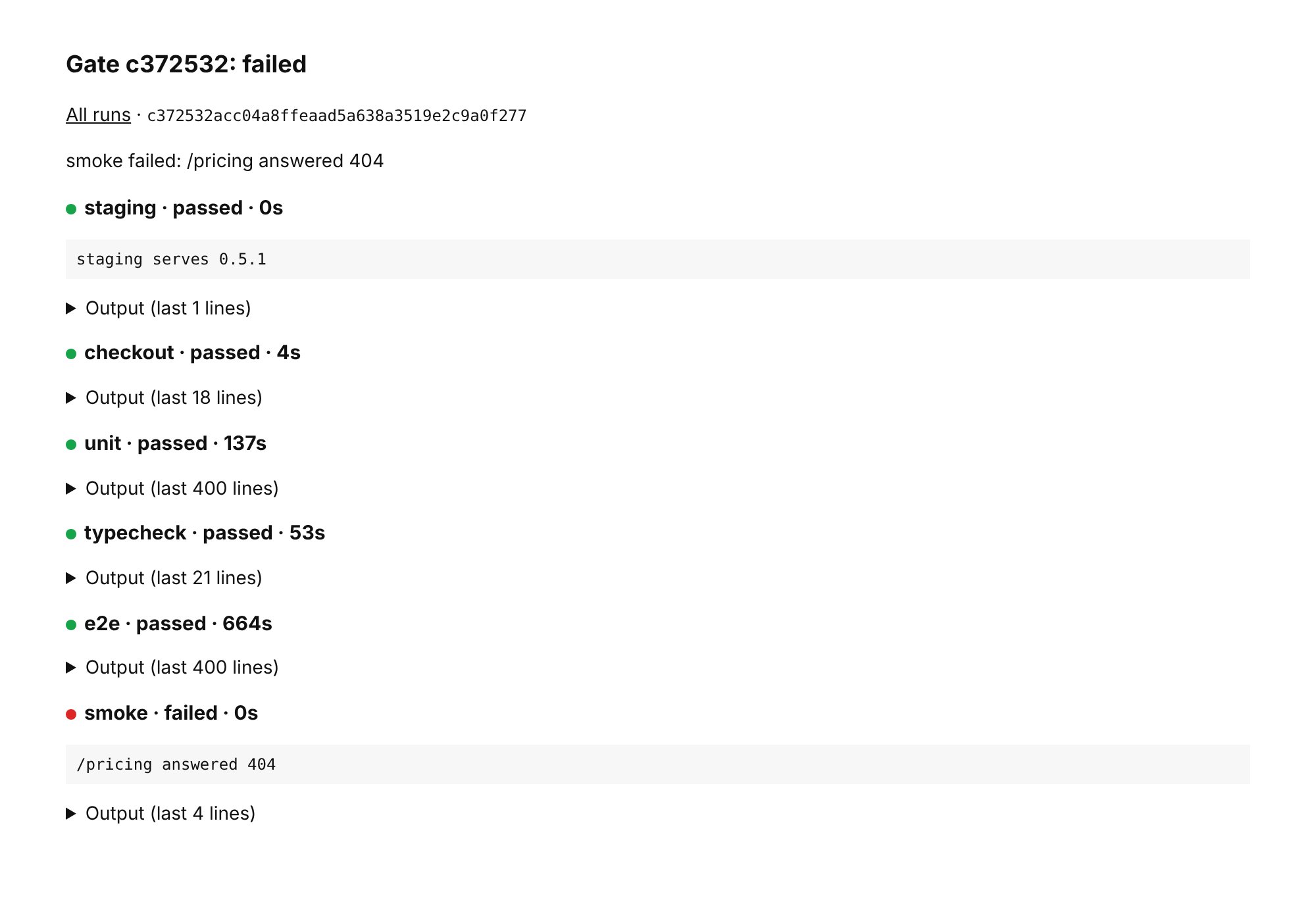
The gate's own page lists the last 30 runs, step by step, with the end of each step's output. The check on GitHub links to it. Anyone can see each run's steps and results; each step's output needs ?key=<GATE_TRIGGER_TOKEN> on the address. A smoke-only run (ordinary merges) takes under a minute. A release run takes about 15 to 25 minutes, most of it the end-to-end suite, and needs about 4 GB of memory while it runs.
| Gate setting | What |
|---|---|
GATE_REPO | owner/name of the repository |
GATE_GITHUB_TOKEN | A fine-grained GitHub token for that one repository with Contents: read and write (to clone and move the production branch) and Commit statuses: read and write. Nothing else. |
GATE_STAGING_URL | Staging's address |
GATE_HEALTH_TOKEN | Staging's PINPROMPT_HEALTH_TOKEN |
GATE_TRIGGER_TOKEN | Optional. A secret for the deploy webhook (POST /hooks/deploy?key=…) and for running the gate by hand (POST /run with Authorization: Bearer …). The gate needs it to wake on deploys, unless you set GATE_POLL_MINUTES. |
GATE_SMOKE_TOKEN | Optional. An agent token on staging, so the smoke check lists MCP tools for real |
GATE_PROMOTE | releases (the default), every (every passing commit goes to production) or off (the gate only reports) |
GATE_PRODUCTION_BRANCH, GATE_SOURCE_BRANCH | Default production and main |
GATE_STEPS | What an ordinary merge gets. Default smoke. full = unit,typecheck,e2e,smoke; or any comma-separated list of those |
GATE_RELEASE_STEPS | What a commit that would be promoted gets. Default full. If the gate can't tell (GitHub unreachable), it runs these and doesn't promote |
GATE_E2E_RETRIES | Default 1 (0 to 3) |
GATE_POLL_MINUTES | Default 0: only on the deploy webhook, so the service can sleep. A number checks staging that often too, and keeps the service awake |
Run it anywhere with Node 22, git, pnpm and Playwright's Chromium: node scripts/gate/server.mjs for the service, or node scripts/gate/gate.mjs <commit> for one run. node scripts/gate/smoke.mjs <url> [commit] runs only the smoke checks, with GATE_HEALTH_TOKEN set.
On Railway
- 1.Staging environment. In the project, + New Environment → Duplicate production and name it
staging. In staging, open the web service: under Settings → Source keep branchmain, give it a new volume at/data, generate a domain, and replace the variables in the table above. Remove production's live Stripe key, Resend key and sign-in app secrets, or swap in test ones. - 2.Gate service. In the staging environment, + New → GitHub repo, the same repository, named
gate. Under Settings → Config-as-code set the path toscripts/gate/railway.json(it buildsscripts/gate/Dockerfileand redeploys only whenscripts/gatechanges). Generate a domain, set theGATE_*variables. Release runs need about 4 GB of memory, so allow at least that. - 3.Webhook (the gate starts from it). In Project Settings → Webhooks, add
https://<gate domain>/hooks/deploy?key=<GATE_TRIGGER_TOKEN>for Deployment deployed. - 4.Production follows the gate. Create the
productionbranch at the commit production is running now. Then, in the production environment, the web service's Settings → Source → Branch becomesproduction. From then on a push to main never reaches production directly.
Keep it cheap: turn on Serverless (Settings → Deploy → Serverless, formerly App Sleeping) for both staging's web service and the gate. Railway charges for memory and CPU while a service runs; a serverless service sleeps after about 10 minutes without traffic and wakes on the next request (the first one takes a few seconds). Staging and the gate then run only around each deploy and while someone is using staging, so they cost cents a month, plus the staging volume (a few cents per GB a month). Each release run adds about 4 GB for 15 to 25 minutes, roughly a cent or two.
Railway's own Wait for CI only waits for GitHub Actions, so it can't use the gate's check. That's why production follows a branch instead.
Releases and rollback
The release rules don't change. Cut a release with pnpm release:cut <version> and merge it. The gate tests it on staging and promotes it, and production deploys it. To ship a fix that can't wait, cut a patch release: it takes the same path, so nothing reaches production untested.
Roll back production as before: redeploy the previous deployment in your host. Then fix forward on main. The gate won't move the production branch backwards, so the next release passes on staging and fast-forwards as usual.
Roll back staging the same way. While staging serves an older commit, the gate only re-tests it, and never promotes a commit that production already has.
Turn the gate off: set GATE_PROMOTE=off, or point production's branch back at main. Deploys then work as they did before.
FAQ
Why not GitHub Actions?
The gate is a plain Node script. It runs the same on a GitHub runner, another CI or your own computer. It also runs next to staging, so it needs no CI minutes and no outside runner that can reach staging, and the tests run in the same region as your data.
Does the gate see production?
No. It talks to staging's address and to GitHub. Its tokens can clone the repository, move one branch and set statuses. Commands in the checkout get none of the gate's secrets, and the GitHub token is removed from the checkout before anything in it runs.
What if a test is flaky?
The end-to-end suite runs once more after a failure. When the second run passes, the run passes, and its page says which test failed the first time. Fix that test: a pass on retry hides a real problem as often as it hides a slow machine.