For reviewers
Just comment Beta
Send feedback as a plain comment, in one step, with no AI draft to check and no questions first. pinprompt turns it into a spec for your agents afterwards. Pick it per project for clients or everyone; each reviewer can switch for themselves.
Beta: built and tested end to end, with little real use so far. The extension part needs extension 0.2.4. See What works today.
By default pinprompt drafts a spec with AI before your note goes: you read the draft, answer up to two questions, then press Send. That's useful for the team, but for clients, PMs and anyone who just wants to say what's wrong, it's a second step and a wait.
With Just comment, the note goes as it is. You pin the element, type, press Send, and you're done. Nobody waits for AI and nobody is asked anything. pinprompt turns the note into a spec afterwards, on the server, so your agents still get a usable item.
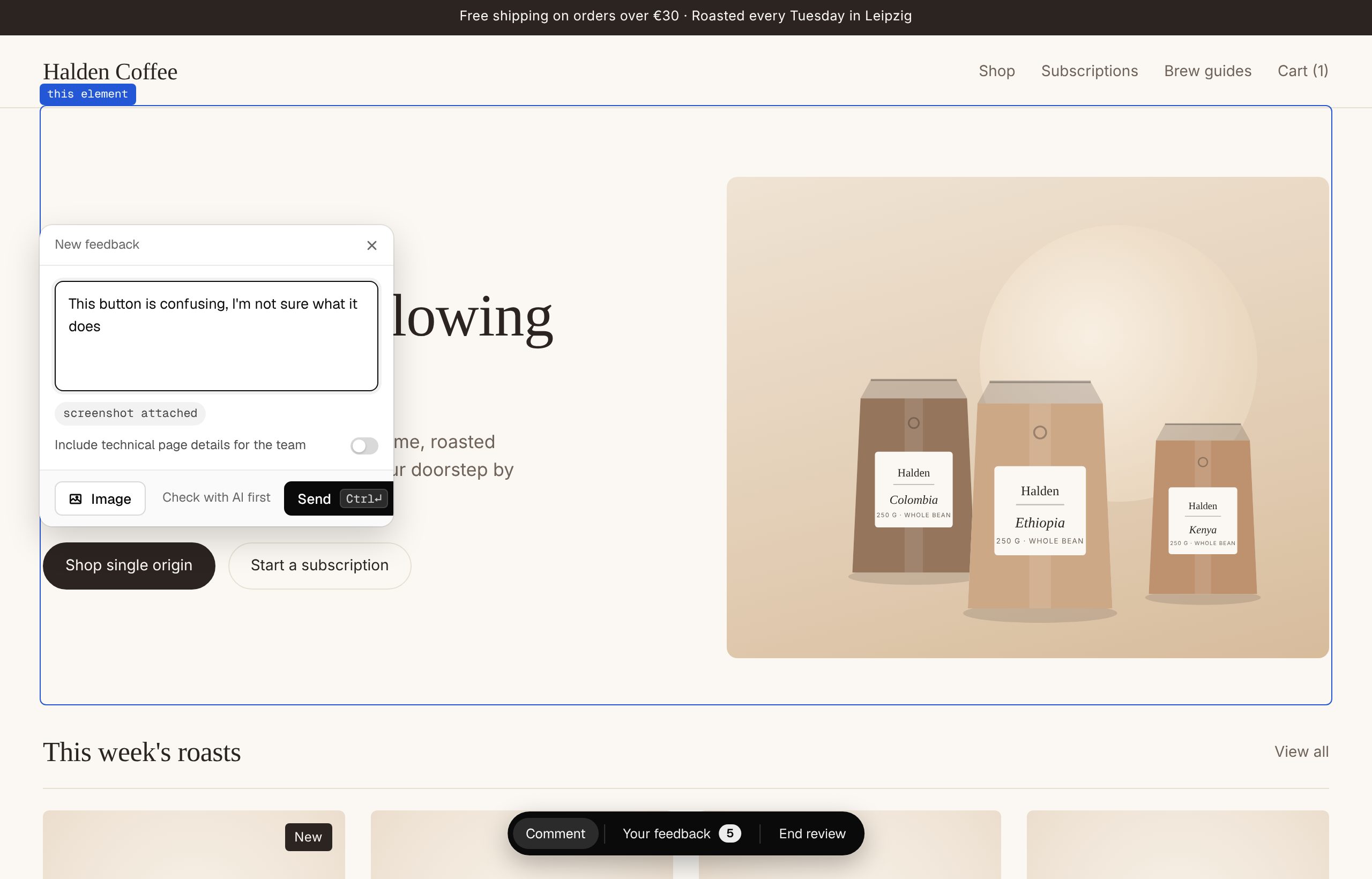
Pick it for a project
In Settings → General → Clients, choose How feedback is sent:
- Draft with AI first, for everyone. The default, and what every project had before.
- Clients just comment, the team drafts with AI. Clients send plain comments; your QA, designers and developers still check a draft.
- Everyone just comments.

Anyone who can change the project's settings can change it. It applies in the Chrome extension, the review link (Feedback without the extension) and Sanity Presentation. Over MCP, update_project takes comment_mode (off, clients or everyone).
Switch it for yourself
The project picks where a note starts. Every reviewer can still switch in the feedback popover:
- In Just comment, Check with AI first (team: Draft with AI) drafts this note with AI before it goes.
- With the AI draft, Skip the AI draft switches this note to Just comment, and Send then sends it as it is.
The switch is the line under your note, which also says what Send does now (Goes as you wrote it. or Drafted with AI before it goes.).
Your choice is remembered in your browser for that project, so the next note starts the same way.
What happens after you send
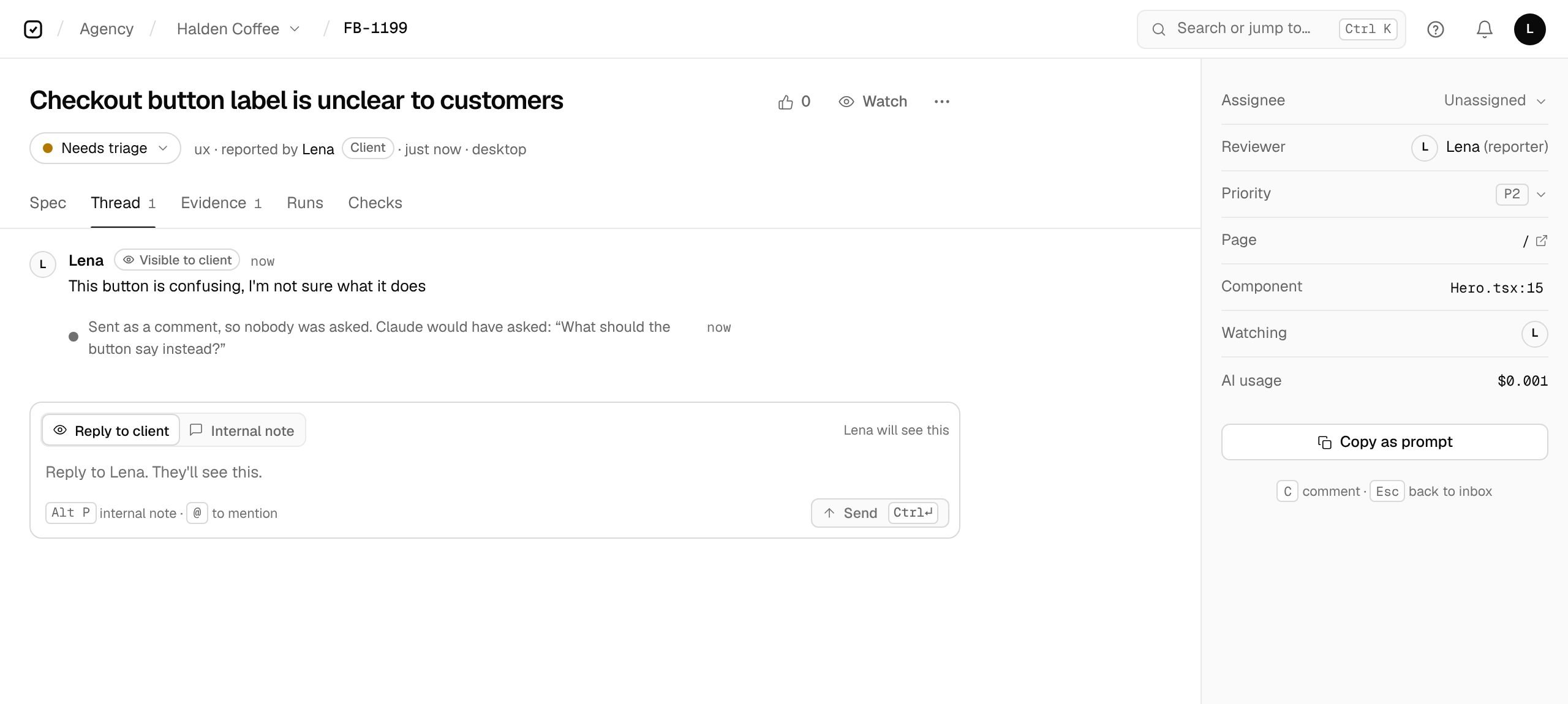
- 1.The item is filed at once, from pinprompt's rule-based draft, with the screenshot, the element and everything else a pin carries. It starts in Needs triage. A note close to an open item still offers Add to it first.
- 2.A few seconds later Claude structures it: a title in plain words, what was seen, what's expected and the checks. That is spec version 2, marked Structured by Claude from the comment. The item's title, kind and priority follow, and, while you're still on the page, its checks run there once, quietly, as an AI draft's do before Send. When one shows the bug, the item goes on to Agent ready (or Ready to approve, when the project's approval rule asks for it), with no triage step. Otherwise, or when you've left the page, it waits in Needs triage for a person to route. The team sees a line on the thread saying the checks ran on your page. All of that only while nobody has acted on the item: once someone edited, moved, assigned, approved or claimed it, Claude's version is dropped.
- 3.If Claude would have asked something (What should the button say instead?), the team gets it as an internal note on the thread, with a button under each question (Ask Lena: “What should the button say instead?”). The same buttons are on the Needs triage card, under Agents will be told. One click sends it to the reporter, and the item waits in Question until they answer. The reporter isn't asked otherwise. Items in To check or With people can't wait on a question, so there the buttons don't show; ask in a comment instead.
- 4.While it waits in Needs triage, the item page shows the same card as Ready to approve: what the reporter said next to what agents will be told, with Send to agents, Edit spec and Keep with people.
Without a Claude key on the server, the rule-based spec stays. If the server restarts before Claude runs, it tries again within a minute, for items sent in the last six hours. Then it uses the note, the element and the page, but not the screenshot or the network log.
A Talk or Record covering several issues is split into several items only from an AI draft. With Just comment it is filed as one item.
Closing the popover
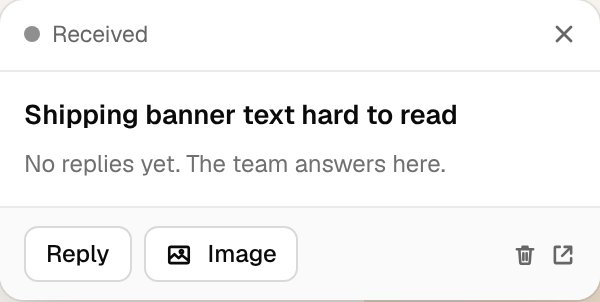
Every popover, including a pin's card, has an X at the top right. It does what Esc does: an unsent note is kept, and comes back the next time you comment on that page.
How long the AI draft takes
pinprompt now records how long each Claude call takes. Workspace owners see the median and the 90th percentile under Wait for an AI draft in Pilot numbers. Just comment skips that wait. An answer to a question never asks Claude again, so the wait is the first draft only.