For reviewers
Reference images
Drop, paste or pick a screenshot of the old site, a competitor or a mock into a pin to show what you mean. Agents and Claude drafts read it as a reference, never as the current page.
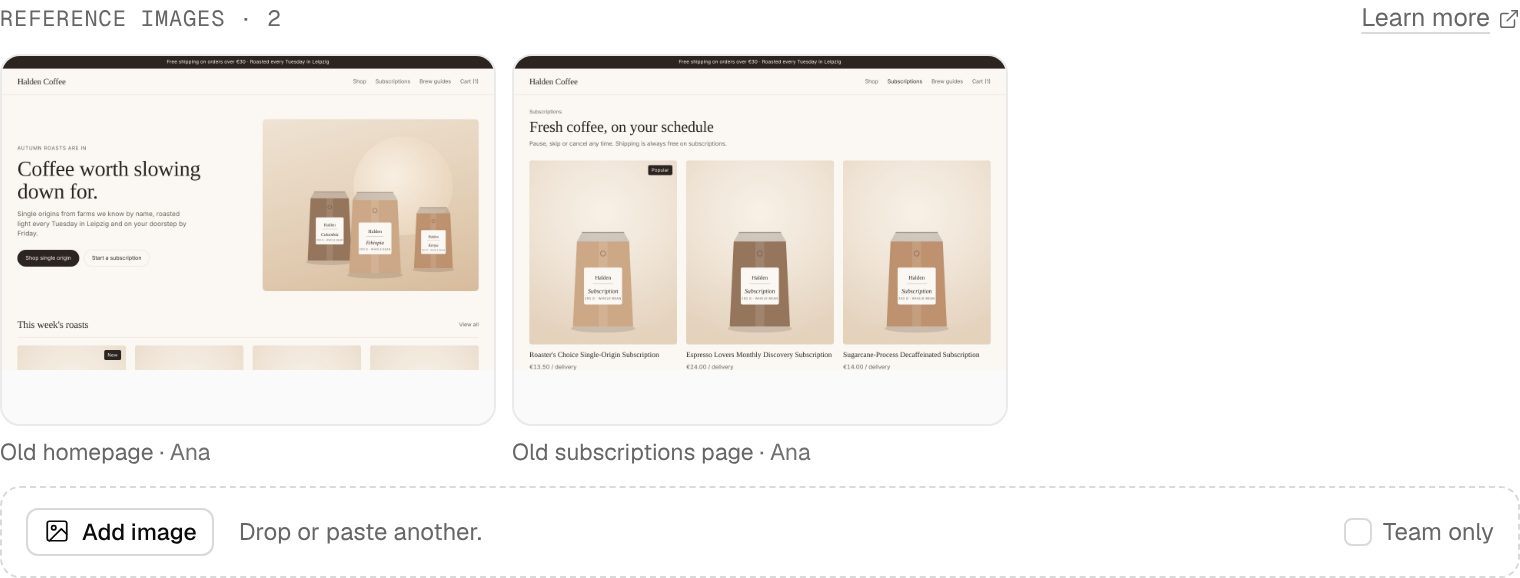
Sometimes "make it like before" is easier to show than to say. Add a reference image to a pin: a screenshot of the old website, a competitor's page, a photo of a printed mock. It travels with the item as what the reporter means, kept apart from the screenshot of the page as it is now.
Add one while you pin
In the feedback popover (the extension, the review script and Sanity Presentation alike):
- Paste an image into the note (
⌘V, Ctrl+V on Windows and Linux), or - drop an image file on the popover, or
- press Image at the bottom left and pick one.
Up to 3 images per new pin. A thumbnail shows each one with × to take it off before you send. Adding to an existing pin works the same way: open its thread and press Image, paste into a reply, or drop the file on it. "Add to it" on a duplicate takes your images along.
Add one on the item page
The Evidence tab (for clients, the side panel of their item) has a Reference images box: drop an image on it, paste one anywhere on the page, or press Add image. An item holds up to 6. Click a thumbnail to see it full size; whoever added it, and people who triage, can Remove it there.
The team can tick Team only before adding, for a reference the client shouldn't see (another client's site, an internal mock). A client's own images are always visible to them and to the team.
What the image goes through
- Your browser redraws it before sending. Any image the browser can open (PNG, JPEG, WebP, GIF, and HEIC on Safari) is drawn again and sent as a JPEG, at most 2400 px on its long edge and 4 MB. That drops camera and location data (EXIF) and anything that isn't a picture. SVG files are refused.
- The server redraws it again, whatever sent it (the extension, a script or the API): only real PNG, JPEG or WebP is opened, and what is stored is a fresh JPEG of its pixels, at most 2400 px on its long edge. Anything after the picture, camera and location data, and colour profiles are gone. An image that would open larger than 40 megapixels is refused before it is opened. It is served like screenshots: to signed-in people who can see the item, never rendered as a page.
- Masking doesn't apply. Masking hides private data on the page you pin, before the screenshot is taken (Sensitive data). A reference image is a file you chose, so pinprompt sends it as it looks. Crop out anything private before adding it.
- Retention: reference images are evidence. The workspace's evidence retention removes them with the screenshots and recordings, and deleting the item deletes them.
- GitHub and Jira: a linked GitHub issue shows up to 3 reference images under Reference images (not the current page), only for private repositories and with links that expire after 30 days, the same rules as screenshots. Jira gets them as attachments.
What agents and Claude see
- Claude drafts get the images only when the server sends screenshots to Claude too (
PINPROMPT_SEND_SCREENSHOTS=1, off by default; Privacy says how this server is set). Then each is labelled Reference image N from the reporter … Not the current page, and Claude writes the expected result and checks from them ("the header matches the reference: logo left, menu right"). Otherwise Claude is told only that the reporter attached reference images, and their names. The images are sent once per pin: answering a question or editing the note re-drafts without sending them again. - The spec lists them under
references(id, caption, visibility, who added it). Each change makes a new spec version, so an agent that claimed an earlier version is told the spec changed. - Coding agents read a Reference images section in
get_specand open them withget_evidence <KEY> reference, which returns every image with its label. Agents can't add or remove references.
Limits
| Per new pin | 3 images |
| Per item | 6 images |
| Size | 4 MB each after the browser shrinks it (2400 px long edge) |
| Accepted | PNG, JPEG, WebP up to 40 megapixels (the browser converts others to JPEG first) |
| Stored as | JPEG, redrawn on the server |
| Who adds | People who can comment on the item: the team and the client who reported it. Not agents. |
| Who removes | Whoever added it, and people who triage |
Links to other pages or design frames as references are not built yet.
API
POST /api/v1/items/<KEY>/references with { "dataUrl": "data:image/jpeg;base64,…", "caption": "Old homepage", "visibility": "public" | "team" } adds one and returns the item. DELETE /api/v1/items/<KEY>/references/<id> removes one. A new pin's capture takes references: [{ dataUrl, caption }] (up to 3).