For teams
Feedback on pinprompt Beta
Tell the pinprompt team what's broken, confusing or missing in pinprompt itself, from the app or the feedback bar. It goes to the people who run the server, never into your projects.
Beta: built and tested end to end, with little real use so far. The menu entry in the extension needs extension 0.2.3 or later. See What works today.
Pins on a site are feedback about that site. Feedback on pinprompt is for pinprompt itself: a button you can't find, a step that didn't work, an idea. Everyone signed in has it, clients too.
Where to find it
- In the app: the account menu (your initials, top right) → Feedback on pinprompt. Also in Ctrl K (type "feedback") and at the top of the Help page.
- On a site: open the bar's menu (Open ▾, or Your feedback for clients) → Feedback on pinprompt. This works in the Chrome extension, in feedback without the extension and in Sanity Presentation.
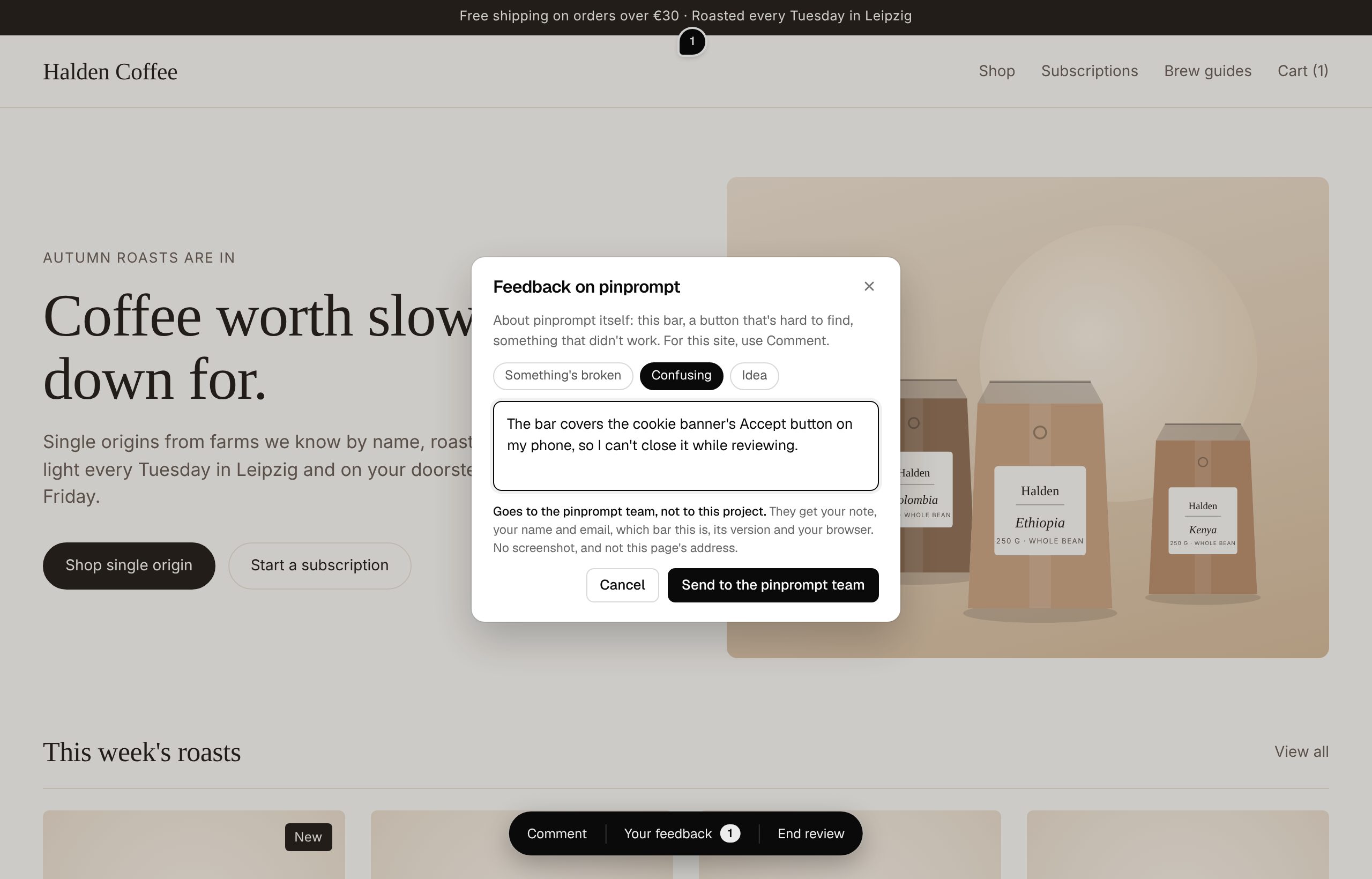
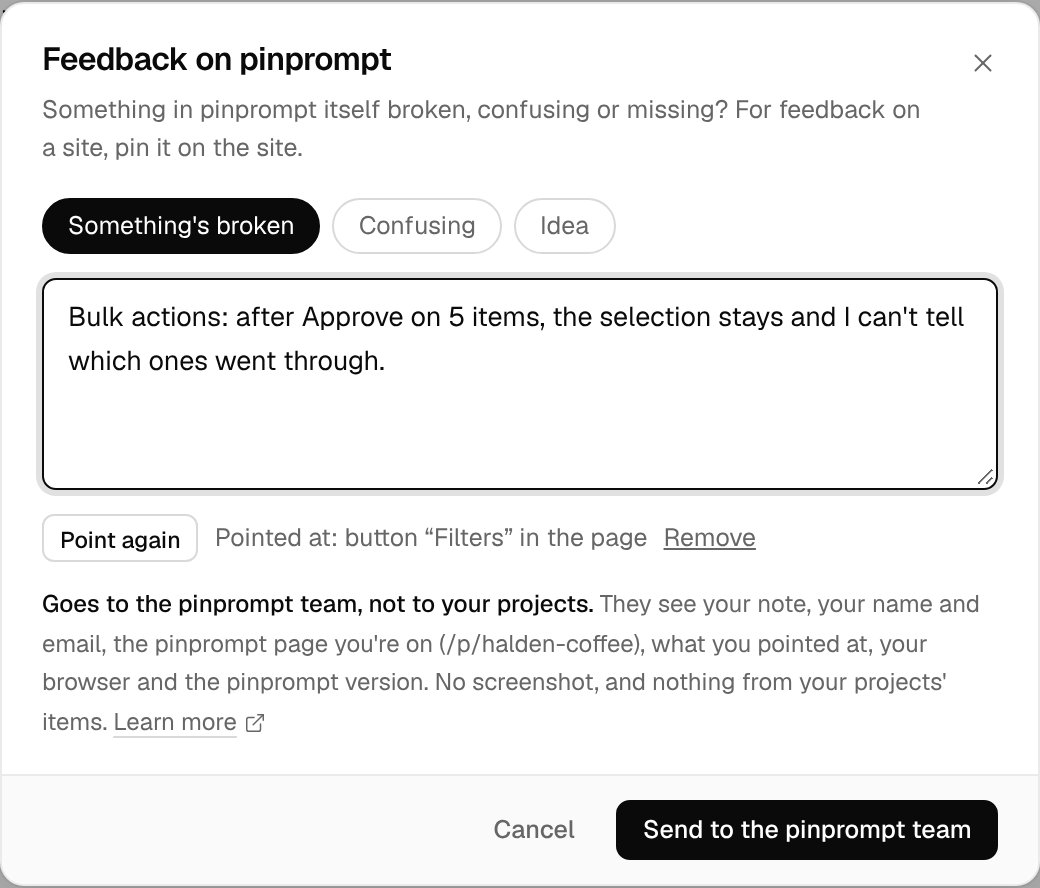
Pick what kind it is (Something's broken, Confusing or Idea), write what happened, and send. In the app you can also press Point at it and click the part you mean.
What it sends, and to whom
A report goes to the people who run this pinprompt server, not to your agency's projects or their inbox. Your team doesn't see it, and nothing about it appears in a project's activity.
It carries:
- your note and the kind you picked;
- your name and email, so the team can answer;
- whether you're on a client's or a team's account, and which workspace;
- in the app: the pinprompt page's path (no search words or anything after
?) and what you pointed at. Buttons, tabs and fields are named by their label. Links, headings and text are named by their role only, because they often show feedback from your projects; - from the bar: which bar it was (extension, review bar, Sanity Presentation, or a review bar in some other frame) and its version. It says Sanity only when the bar was opened by a Studio the project lists;
- the pinprompt version and your browser.
It never carries a screenshot, or the address or content of the site you're reviewing.
What happens next
You see your earlier reports and their status (Sent, Planned, Fixed in 0.2.x, Not planned) under the form in the app. When the team answers or marks one fixed, you get an email.
How long it's kept
A report is deleted a year after it last changed. It is deleted at once when the server's owners delete it, or when you're removed from your last workspace with anonymise. The privacy page says the same.
Triage
For whoever runs the server. Reports land in Workspace settings → Feedback on pinprompt → Triage (/settings/product-feedback, also in Ctrl K). Only the server's owners see this page: the people in the server's first workspace listed in PINPROMPT_OPERATOR_EMAILS or PINPROMPT_OWNER_EMAIL, otherwise that workspace's owners. Owners of other workspaces on the same server don't.
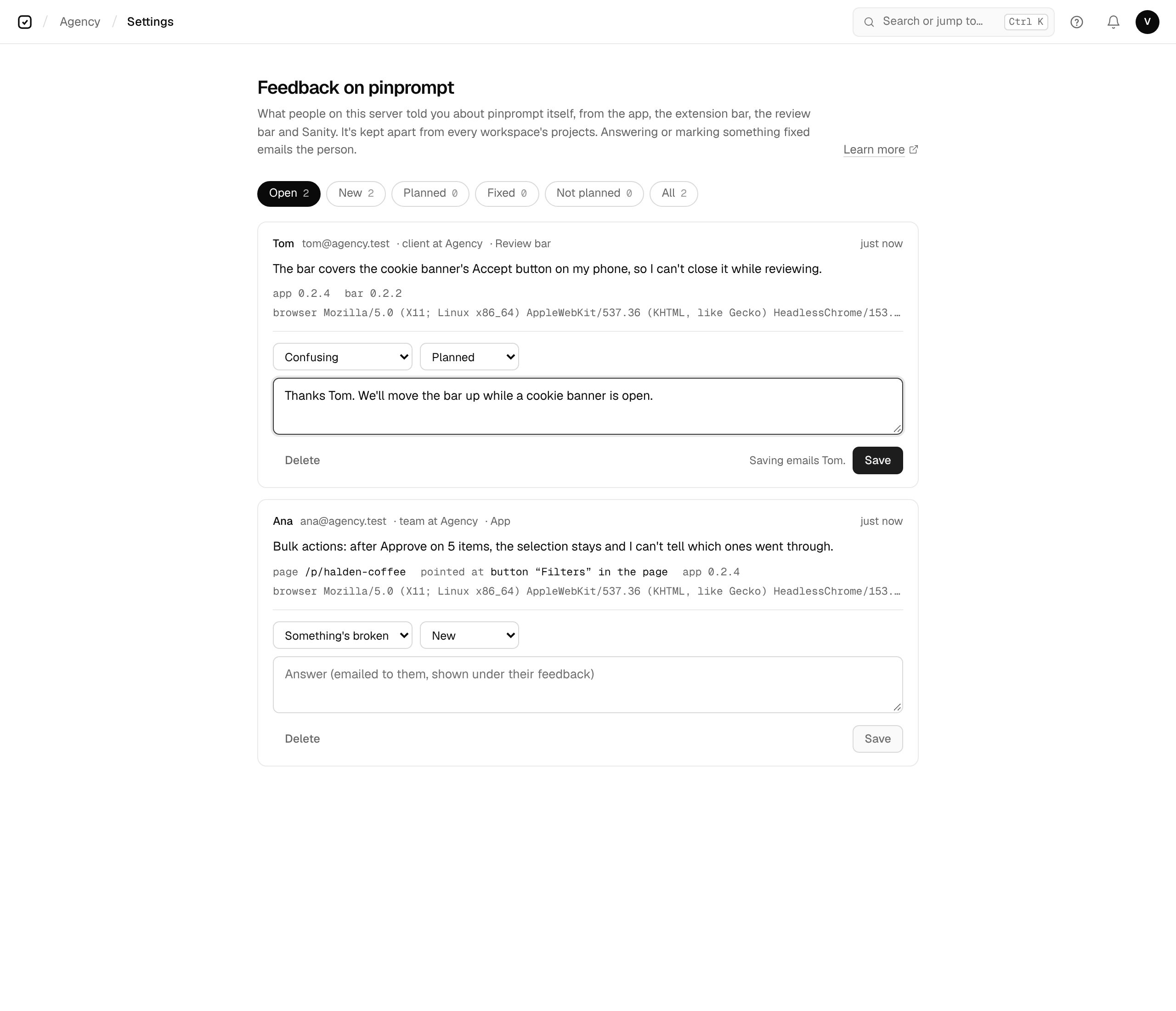
For each report you set the kind, the status (New, Planned, Fixed, Not planned), the version that fixed it, and an answer. Saving an answer, or marking it fixed, emails the person. Changing only the kind doesn't. Delete removes a report for good (spam, or the person asked).
A simple routine that works: once a week, go through New, give each a kind and a status, and answer anything you won't do. When a release ships fixes, mark them Fixed with the version.
Turning it off
Set PINPROMPT_PRODUCT_FEEDBACK=off on the server to hide the button everywhere and refuse new reports. Reports already sent stay where they are. Every server keeps its own reports. Nothing is sent to anyone else's server.