Reference
ClickUp integration
Connects a pinprompt project to one ClickUp list, so items become ClickUp tasks there, and status and comments sync both ways. It works with any ClickUp workspace. Like every integration it follows the activity log: turning it off changes nothing else, and nothing in ClickUp ever closes an item (people sign off in pinprompt).
Status: Experimental, in the next release (after 0.4.5). Tested end to end against a stand-in ClickUp API; not yet connected to a real ClickUp workspace. Try it on a test project first.
What you need
A personal API token (it starts with pk_) from someone who can see the list: ClickUp → Settings → Apps → API Token (ClickUp apps). pinprompt acts in ClickUp as that person: tasks and comments from pinprompt show their name. Regenerating the token in ClickUp disconnects pinprompt; connect again with the new one.
No server setup is needed, but ClickUp must be able to reach your pinprompt server for changes to come back.
Per project
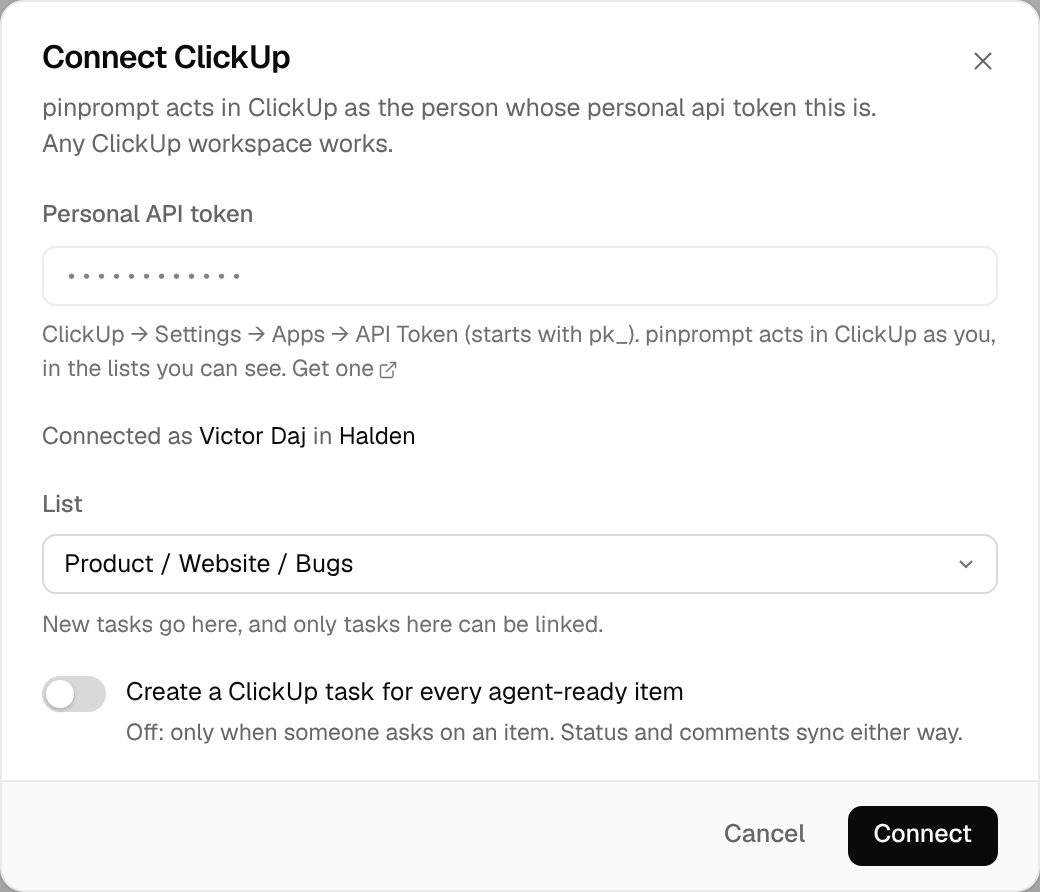
Owner or developer: Settings → Integrations → Connect ClickUp. Paste the token, then pick the list (named Space / Folder / List). Optionally switch on Create a ClickUp task for every agent-ready item; otherwise tasks are made only when someone asks on an item. Change takes a new token or another list; the item links stay.
The card shows one way only when the webhook couldn't be made, with ClickUp's reason and Try again.
Statuses
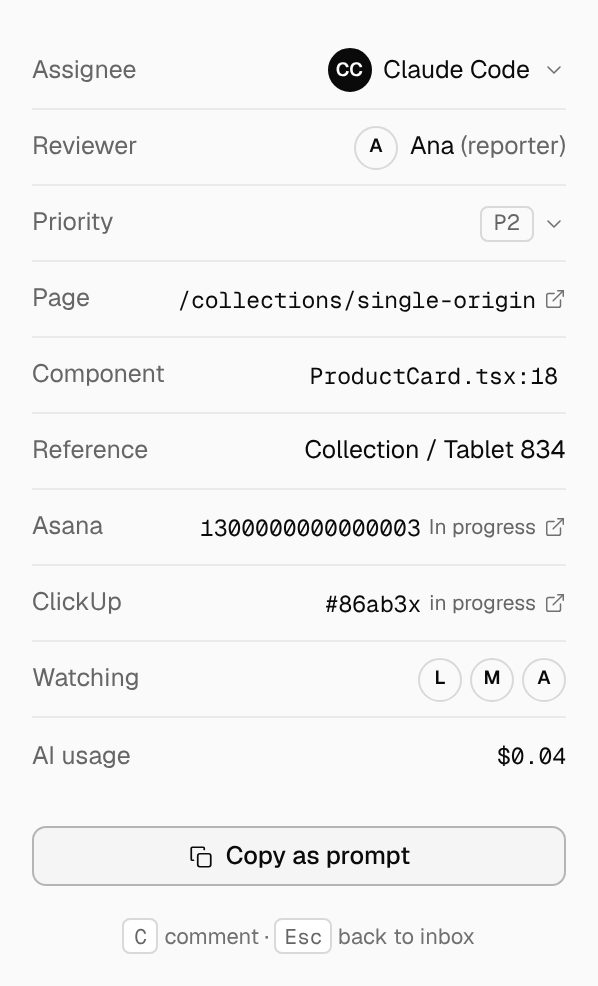
pinprompt reads the list's statuses when connecting. ClickUp marks each one open (to do), custom (started), or done / closed (done). When an agent takes an item, the task moves to in progress (or the first custom status); when it is signed off, to the done or closed status.
What syncs
| pinprompt | ClickUp |
|---|---|
| Create ClickUp task on an item (or, with the switch on, every agent-ready item) | A task in the list, [FB-12] Title, with the spec as its description (markdown) and a link back to the item. Screenshots stay in pinprompt (the link opens them) |
Link with the task's link, #id or custom id (DEV-12) | Checked in ClickUp (it must be in the connected list), then linked. One item per task |
| Spec revised | Name and description updated |
| An agent takes it (With agent) | A started status, only from an open one |
| Done / Won't fix / Merged | A comment, then a done status |
| A person's or agent's comment | A comment "Mia commented on FB-12 in pinprompt:" |
| ClickUp | pinprompt |
|---|---|
| Status change | The link shows the status, and a line "#86ab… moved to review in ClickUp by Ana" |
| Comment | On the item as "Ana (ClickUp)", unless pinprompt posted it |
| Task deleted | The link is marked deleted; Create ClickUp task makes a new one |
The same privacy rules as the other trackers: on an item a client reads, internal notes never go, and a client's own comments go only with Client comments on. A comment that came in from another tracker is never sent on to ClickUp.
Agents need nothing new: they work items over MCP as before, and the item's links include the ClickUp task.
Security
- The token is stored encrypted with
PINPROMPT_SECRET_KEYand never shown again. - ClickUp calls
<base>/api/hooks/tracker/clickup/<integration id>. ClickUp gives pinprompt the webhook's secret when it is made, and signs each call with it (X-Signature, HMAC-SHA256 of the body); anything else gets 401. Calls from another webhook and repeats are ignored, and only items of the connected project are touched. PINPROMPT_CLICKUP_APIpoints pinprompt at another ClickUp API base (tests and local runs use a stand-in). Leave it unset in production.
Disconnecting
Disconnect forgets the token. Tasks stay in ClickUp and items keep their links. Remove pinprompt's webhook in ClickUp (Settings → Webhooks, or it stops after repeated 401s).
Not built yet
- Signing in with ClickUp (OAuth) instead of a personal token.
- Screenshots uploaded to the task (ClickUp attaches files only to an existing task).
- Assignees, priority, tags and custom fields on the task.